
Gemini Notebook Enhances Multilingual Capabilities with Configurable Output Languages
Google's Gemini Notebook has introduced a significant enhancement for its users: a configurable Output Language setting. This feature allows individuals and teams to specify their preferred language for generated text directly within the notebook interface. Previously, users often had to rely on post-generation translation tools to adapt content for different linguistic audiences. Now, they can set their desired output language for chat responses, study guides, documentation, Audio Overviews, and Video Overviews, provided the selected language is supported by each specific feature.
This development is particularly impactful for multilingual teams who frequently collaborate across language barriers. By offering direct control over the output language, Gemini Notebook moves beyond a simple translation layer to a more integrated multilingual experience. It empowers users to generate content that is immediately accessible in their preferred language, reducing friction and improving efficiency in workflows that involve diverse linguistic requirements.
The ability to configure output languages directly within Gemini Notebook means that developers, researchers, and content creators can tailor their interactions and outputs to specific regional or team needs without an intermediate translation step. This granular control ensures that the nuances of generated text are preserved more effectively, which is crucial for technical documentation, study materials, and any content where precision is paramount.
How to Configure Your Output Language
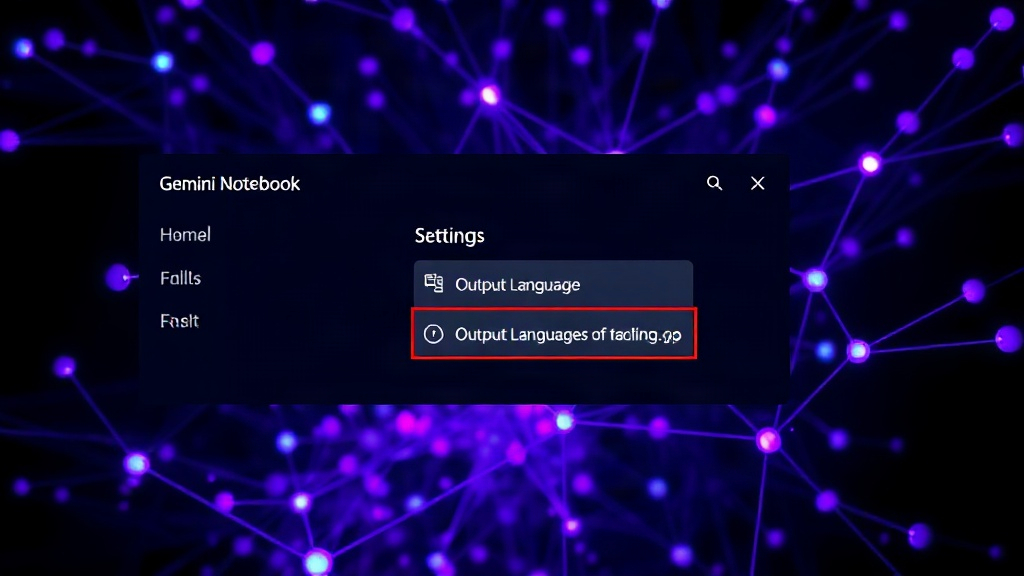
According to Google's official help documentation, configuring the output language is a straightforward process for desktop users. To access this setting, users need to open the Settings menu within Gemini Notebook. Within the settings, they can then select the Output Language option and choose their preferred language from the available list. The system's default behavior is to follow the language configured in the user's Google Account. However, this default can be easily overridden within the Gemini Notebook interface itself, offering a layer of personalization that respects individual or team linguistic preferences.
This user-centric approach ensures that Gemini Notebook remains adaptable to a wide range of professional environments. For instance, a development team based in Germany might prefer all generated documentation to be in German, even if their Google Accounts are set to English for broader system compatibility. Similarly, a research group with members spread across Asia might opt for English as the primary output language for shared study guides, while individual members could still set their personal chat interfaces to their native tongues.
The implications for content generation are substantial. Imagine generating a complex technical explanation that needs to be understood by both English-speaking engineers and a Spanish-speaking support team. With this new feature, the documentation can be generated directly in Spanish, eliminating the need for manual translation and the potential for errors or loss of context that often accompanies such processes. This capability directly addresses the growing need for AI tools that can seamlessly integrate into diverse, globalized workforces.
Broader Implications for Multilingual Workflows
The introduction of configurable output languages in Gemini Notebook signifies a broader trend in AI development: the increasing focus on localization and accessibility. As AI tools become more integrated into professional workflows, their ability to cater to diverse linguistic needs becomes a critical differentiator. This feature moves Gemini Notebook beyond a general-purpose AI assistant to a specialized tool that can actively support and enhance multilingual collaboration.
For companies operating on a global scale, this means that AI-powered content generation and summarization can be more readily deployed across different regions and departments. The friction associated with language barriers in knowledge work is reduced, potentially leading to faster project cycles, improved communication, and a more inclusive work environment. The ability to set preferences per feature also allows for nuanced control – perhaps Audio Overviews are best generated in English for a global team, while chat responses might be preferred in a local language for daily interactions.
What remains to be seen is the full extent of language support across all Gemini Notebook features and how Google plans to expand this capability in the future. While the documentation mentions support is subject to feature availability, the precise list of supported languages for each output type will be critical for users assessing its utility. Furthermore, the potential for future integration with other Google Workspace tools, allowing for even more seamless multilingual document creation and sharing, is an exciting prospect.
This feature is not merely about translation; it's about creating AI that understands and respects the linguistic diversity of its users. It allows for a more natural and intuitive interaction, where the AI acts as a consistent, linguistically appropriate assistant, rather than a generic tool requiring extensive post-processing. For teams juggling multiple languages, this represents a tangible step towards more efficient and effective global collaboration.