
The Storage Squeeze on Gaming PCs
Modern game installations are notorious storage hogs. With titles regularly exceeding 100GB, and many gamers owning libraries of dozens or even hundreds of games, hard drive and SSD space is at a premium. As storage prices remain stubbornly high, PC gamers are increasingly looking for solutions to manage their ever-expanding digital collections. Enter Game Compressor, a new utility designed to reclaim significant disk space by intelligently compressing game files without impacting performance.
The core of Game Compressor's functionality lies in its smart application of Windows' built-in LZX compression algorithm. LZX, a lossless data compression format, is part of the Microsoft cabinet file format and has been used by Windows for years in various system-level capacities, including system restore points and Windows Update packages. Game Compressor essentially applies this robust compression method to the large, often static data files found within game installations.
How Game Compressor Works
Game Compressor operates by identifying large files within a user's specified game directories. It then compresses these files using LZX. The key advantage here is that LZX is a lossless compression, meaning no data is lost during the compression or decompression process. When a game compressed by Game Compressor is launched, the operating system's file system (NTFS) handles the decompression on the fly. This means that from the game's perspective, it's accessing uncompressed files, and therefore, there is no discernible performance penalty or impact on loading times.
The utility provides a user-friendly interface that allows users to select which games or specific directories they want to scan and compress. It offers an estimated savings report before committing to compression, giving users a clear picture of the potential disk space they can recover. For example, a game that is 80GB could potentially be compressed down to 50GB or less, depending on the nature of its data. With a library of 10 games, this could easily translate to hundreds of gigabytes saved across an entire PC.
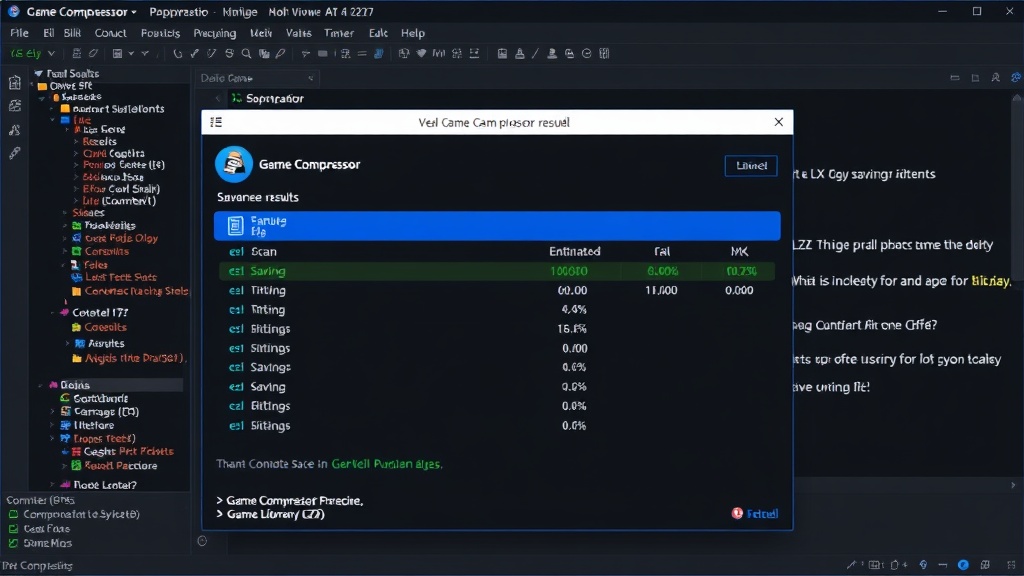
The compression process itself is handled by the utility, which orchestrates the use of the LZX codec. Users do not need to manually create cabinet files or interact with command-line tools. The software abstracts this complexity, making advanced file compression accessible to the average PC user. This is particularly relevant for gamers who might not be deeply technical but are feeling the pinch of limited storage capacity.
LZX Compression: A Familiar, Powerful Tool
LZX is a dictionary-based lossless data compression algorithm. It works by identifying repeating sequences of data and replacing them with references to earlier occurrences of that sequence. This is highly effective for files that contain a lot of redundant information, which is common in game assets like textures, audio files, and even executable code. Unlike some other compression methods that might prioritize speed over compression ratio, LZX is known for achieving good compression ratios while remaining relatively efficient in terms of decompression speed.
The fact that LZX is a native Windows feature is a significant advantage. It means that the decompression process is deeply integrated into the operating system's file handling capabilities. This avoids the need for third-party decompression software to be installed or run in the background, which could otherwise introduce performance overhead or compatibility issues. When NTFS encounters a compressed file, it automatically decompresses it before delivering it to the requesting application. This process is largely transparent to the user and the application itself.
The strategic use of LZX by Game Compressor is what sets it apart. Instead of employing a proprietary or less common compression algorithm, it taps into a mature, well-tested, and highly optimized component of Windows. This ensures reliability and compatibility. The utility essentially automates the process of identifying compressible game data and applying the LZX standard, making it a practical tool for storage management.
Beyond Compression: Managing Expectations
While Game Compressor promises substantial savings, it's important to set realistic expectations. Not all game files compress equally. Highly compressed or already encrypted data, such as certain audio formats or video codecs, will yield minimal space savings. The biggest gains will be seen on games with large amounts of uncompressed or lightly compressed assets, like textures and raw data files.
The utility is priced at $6, which positions it as an affordable alternative to purchasing additional storage hardware. For many users, especially those with older systems or limited budgets, reclaiming 100GB or more across their library can be more cost-effective than buying a new SSD or HDD. The question remains, however, how this type of utility will interact with game updates and patches. Developers often replace or modify specific files during updates. Game Compressor's approach to handling these updates will be crucial for its long-term usability. If a game update requires replacing a compressed file, the utility must efficiently decompress the original, allow the update, and then potentially recompress the modified file. This is a complex logistical challenge that the software must address to remain seamless.
The broader implication is that such tools highlight a growing demand for efficient storage management solutions in the PC gaming ecosystem. As game sizes continue to balloon and SSDs remain a significant investment, utilities that can intelligently reduce file footprints without compromising the gaming experience are likely to find a receptive audience.
The Future of Game Storage
Game Compressor's success hinges on its ability to provide a hassle-free, effective solution for a common pain point. By leveraging a powerful, native Windows feature, it sidesteps many of the complexities and potential performance issues associated with third-party compression tools. The $6 price point makes it an accessible option for a wide range of PC gamers.
As storage technology evolves, with capacities increasing and prices potentially decreasing, the need for such tools might diminish. However, for the foreseeable future, and especially with AAA titles pushing the boundaries of file size, Game Compressor offers a timely and practical way to manage game libraries and maximize the utility of existing storage hardware.