Fitz LiveViews: A Unified Approach to UI Development
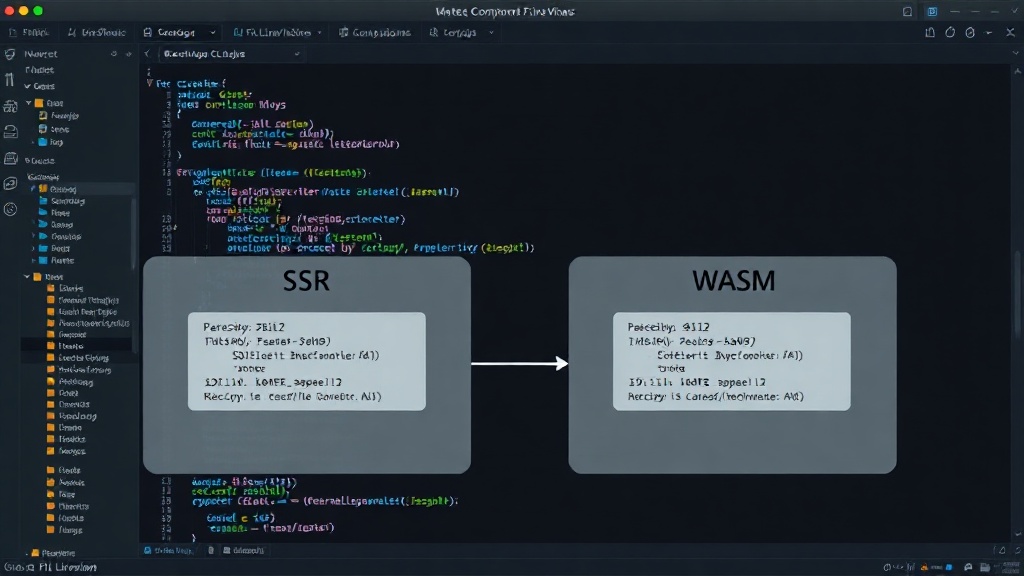
Fitz LiveViews introduces a novel approach to building user interfaces by allowing developers to write a single component file that can be compiled and deployed to two distinct targets: server-rendered (SSR) and client-side WebAssembly (WASM). This dual-targeting capability promises to streamline development workflows and offer flexibility in how applications are delivered to the user. The core concept revolves around a single .fitzv file that houses the component's logic and structure, eliminating the need for separate codebases or significant rewrites when switching between rendering strategies.
The server-rendered (SSR) mode is ideal for applications where state management is centralized on the server. In this model, the server maintains the component's state, generates the initial HTML, and then uses WebSockets to patch the browser's DOM as changes occur. This approach is particularly well-suited for shared, database-driven, multi-user applications where real-time synchronization is critical. Think of it like a central conductor orchestrating a symphony, where every musician (browser) receives real-time cues from the conductor (server).
Conversely, the client-WASM mode compiles the same component into WebAssembly, enabling it to run entirely within the user's browser. This is the go-to option for building offline-first widgets or components that require zero-round-trip latency for immediate user interaction. By running directly in the browser, these components offer a highly responsive user experience, unhindered by network delays. This is akin to having a skilled soloist performing independently, relying on their own instruments and talent without needing constant direction.
Building a Simple Counter Component
To demonstrate this dual-targeting capability, the framework guides users through building a simple counter component. This familiar example allows for a clear illustration of how state is managed and updated in both SSR and WASM contexts. The initial setup involves creating a counter.fitzv file. Within this file, the component's structure and behavior are defined using Fitz's declarative syntax.
In the SSR version, the counter's state is stored server-side. When a user interacts with the counter (e.g., clicks an increment button), the event is sent to the server. The server updates the state, re-renders the relevant portion of the component's HTML, and then sends the updated HTML diff back to the browser via the WebSocket connection. The browser then applies these changes to its DOM, reflecting the updated count. This process ensures that all users viewing the same component see the same state, synchronized by the server.
For the WASM version, the counter logic is compiled into WebAssembly. When the component loads in the browser, the WASM module is executed. All state management and DOM updates happen directly within the browser's environment. Clicking the increment button triggers a local function call within the WASM module, which updates the component's internal state and manipulates the DOM accordingly. This results in near-instantaneous feedback for the user, as there is no network round trip involved. The component essentially becomes a self-contained application running on the client.
Key Benefits and Use Cases
The primary advantage of Fitz LiveViews is its ability to reduce code duplication and simplify development. By using a single source file for both SSR and WASM targets, developers save significant time and effort that would otherwise be spent maintaining separate codebases. This unified approach also leads to more consistent component behavior across different deployment scenarios.
The SSR mode is particularly beneficial for applications requiring robust real-time collaboration features. Imagine a shared document editor, a live dashboard with multiple concurrent viewers, or an online ticketing system. In these scenarios, having the server manage the authoritative state ensures data integrity and seamless synchronization among all participants. The WebSocket connection acts as a constant, low-latency channel for broadcasting state changes.
The WASM mode shines in scenarios where immediate interactivity is paramount and server load needs to be minimized. Consider a simple form validation widget that provides instant feedback as a user types, a complex client-side data visualization tool that doesn't require constant server updates, or an interactive tutorial component. By offloading these tasks to the client, developers can create highly performant, responsive user experiences, especially for users with slower network connections or in offline environments. This also reduces the computational burden on the server, potentially lowering infrastructure costs.
The Future of Fitz LiveViews
Fitz LiveViews is positioned to offer a compelling alternative to existing UI frameworks. Its ability to target both SSR and WASM from a single source file addresses a key pain point in modern web development: managing complexity across different rendering strategies. As the framework matures, it has the potential to become a go-to solution for developers seeking to build dynamic, real-time web applications with a more efficient and unified development process. The question remains how well this abstraction will scale to more complex, enterprise-grade applications with intricate state management needs and diverse deployment requirements.