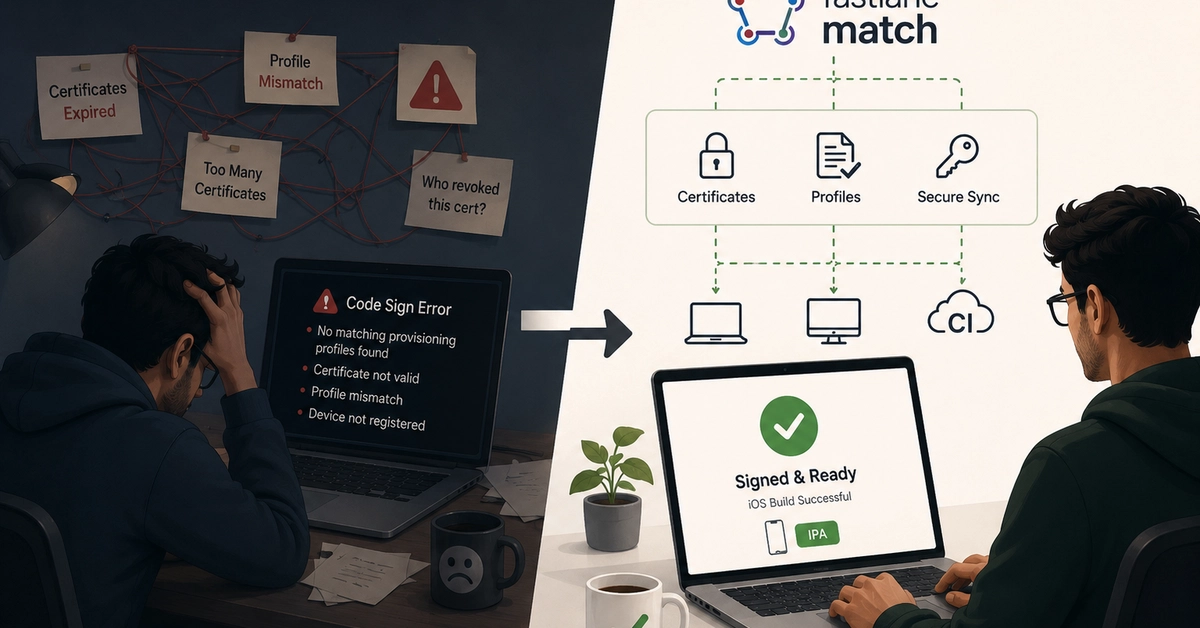
The Pain of Manual iOS Code Signing
For solo iOS developers, managing signing certificates and provisioning profiles manually might seem manageable. It works, until it doesn't. The real trouble begins when a second developer joins the project. Suddenly, you're battling Apple's strict certificate limits, unexpected revocations, and the dreaded "it worked yesterday" errors that plague development teams. This manual process is not only time-consuming but also a significant bottleneck for collaboration and continuous integration.
The core of the problem lies in the intricate web of Apple's developer portal. Each developer needs access to the correct certificates and profiles to build and deploy apps. When these assets are managed on a per-machine basis, coordinating them across a team becomes a logistical nightmare. A single expired certificate or an incorrectly generated provisioning profile can halt all development and deployment efforts, leading to frustrating debugging sessions and missed deadlines. This is precisely the situation Smitp7502 found himself in, prompting a search for a more robust solution.
Enter Fastlane Match: A Centralized Solution
Fastlane, a popular open-source toolchain for automating iOS and Android development deployment, offers a solution to this chaos with its `match` command. Fastlane Match is designed to sync your certificates and provisioning profiles across your entire team and CI/CD systems using a shared, encrypted repository. Instead of each developer managing their own set of credentials, `match` ensures everyone is working with the same, up-to-date profiles.
The fundamental principle behind `match` is simple yet powerful: store all your signing certificates and provisioning profiles in a single, private Git repository. This repository acts as the single source of truth for your project's signing assets. Crucially, these sensitive credentials are encrypted before being pushed to the repository, meaning even if the repository were compromised, the keys themselves would remain secure. Each developer, and importantly, your CI/CD server, can then fetch these encrypted files and decrypt them locally using a passphrase, ensuring secure access without exposing the raw certificates.
Key `match` Commands and Workflow
Fastlane Match simplifies the process with a few core commands:
- `match development`: This command fetches or creates development certificates and provisioning profiles. It ensures that all developers on the team can build and test the app on their devices.
- `match appstore`: Used for generating and fetching the necessary signing assets for App Store submissions. This is critical for ensuring your app can be successfully uploaded to Apple's servers.
- `match adhoc`: Facilitates the creation and management of ad hoc distribution profiles, which are useful for distributing beta versions of your app to a limited set of testers.
- `match nuke`: A powerful, albeit destructive, command that removes all certificates and profiles from your developer account and the shared repository. This is typically used when a complete reset is necessary, perhaps due to a security incident or a major project restructuring. It should be used with extreme caution.
The workflow typically involves initializing `match` with your desired repository type (e.g., Git) and encryption settings. Then, developers run the relevant `match` commands to sync their local environment. For CI/CD, the process involves setting up the repository access and providing the decryption passphrase securely, often through environment variables. This eliminates the need for manual downloading and importing of `.cer` and `.mobileprovision` files, a process notorious for errors and versioning issues.
Security Considerations: Encryption is Key
Storing sensitive signing credentials in a Git repository might initially sound risky. However, Fastlane Match addresses this by employing strong encryption. When you set up `match`, you define a passphrase that encrypts your certificates and profiles before they are committed to Git. This passphrase must be shared securely among your team members and your CI/CD system. Common practices for managing this passphrase include using environment variables in your CI/CD pipeline or secure secret management tools. This ensures that the encrypted files themselves are safe to store in a version-controlled repository, as only those with the correct passphrase can decrypt and use them.
The beauty of this approach is that it separates the management of the credentials from their usage. The repository serves as a secure distribution channel, not a direct storage of sensitive keys in plain text. This makes it significantly easier to onboard new team members or set up new build machines. They simply need to run `fastlane match [type]` and provide the passphrase to obtain the necessary signing assets. This drastically reduces the time spent on setup and troubleshooting, allowing developers to focus on writing code rather than wrestling with Apple's provisioning portal.
The Unanswered Question: Long-Term Maintenance
While Fastlane Match provides an elegant solution for managing iOS certificates and profiles, a lingering question for many teams is the long-term maintenance of the `match` repository itself. How frequently should certificates be rotated? What is the best strategy for handling situations where the passphrase is lost or needs to be changed across a large team? While `nuke` offers a reset, it implies a significant operational overhead. Establishing clear governance and regular audits for the `match` repository and its associated passphrase will be crucial for sustained adoption and security.
The shift from manual management to an automated system like Fastlane Match represents a significant leap forward for iOS development teams. It tackles a persistent source of frustration and inefficiency, enabling smoother collaboration and more reliable deployment pipelines. By centralizing and securing signing assets, `match` allows developers to reclaim valuable time and reduce the cognitive load associated with code signing, ultimately accelerating the development lifecycle.