The Problem: A Single Button Fails in Docker
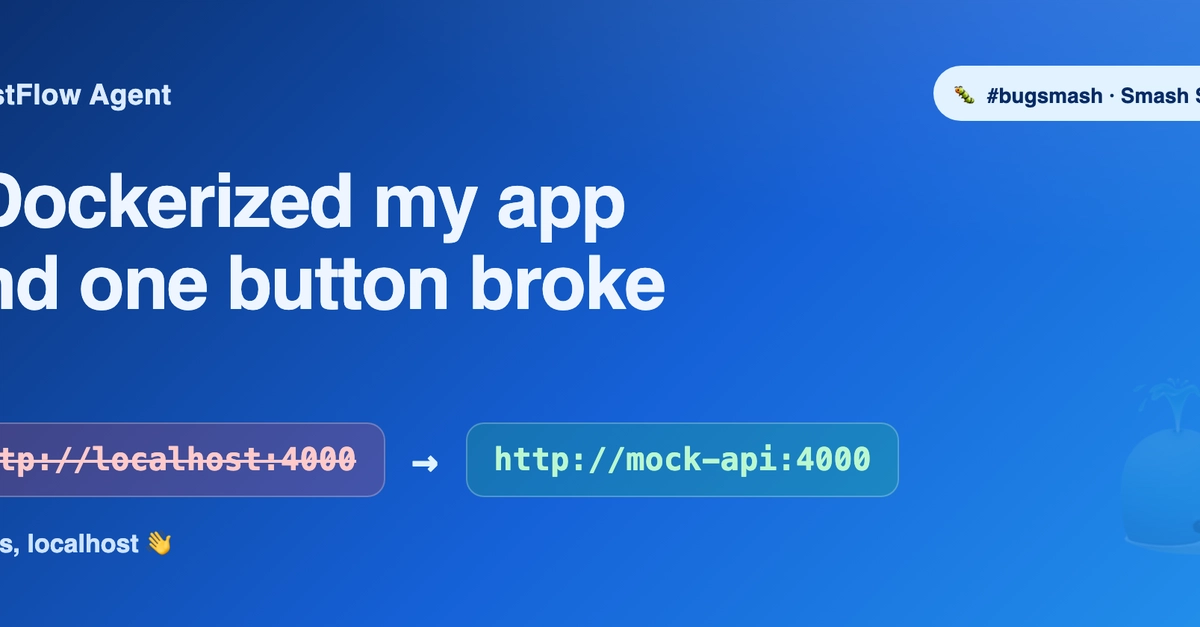
Developers often encounter unexpected bugs when transitioning from local development to containerized environments. Shankar Subramanian, creator of the TestFlow Agent, faced precisely this scenario. His project, a three-service application comprising a mock API, a backend for running test flows, and a React frontend, worked flawlessly on his local machine. The headline feature, a "Run Enrollment Flow" button, successfully initiated a sequence of requests to the mock API, confirming "enrollment created, status ACTIVE." However, upon implementing a one-command Docker setup using docker compose up --build, this critical button failed. The issue was isolated: other functionalities like "analyze" and "generate" worked, but the enrollment flow button consistently returned an error.
The setup involved a mock API (the target of tests), a backend service that orchestrates and executes test flows, and a React frontend. Locally, this architecture allowed the "Run Enrollment Flow" button to trigger backend processes that interacted seamlessly with the mock API, reporting successful enrollment. The transition to Docker, intended to simplify deployment and testing, revealed a subtle but impactful discrepancy in how services communicated within the containerized network versus the host machine.
Diagnosing the `localhost` Conflict
The root cause, as Subramanian identified, lies in the default behavior of Docker networking and the common developer habit of hardcoding localhost or 127.0.0.1 in application configurations. When the React frontend, running inside its Docker container, attempts to communicate with the backend service, it traditionally would use localhost:PORT. Similarly, if the frontend or backend tried to reach the mock API using localhost, it would point to the container's own loopback interface, not the intended service running within the Docker network.
Docker creates its own isolated network for containers managed by docker compose. Within this network, containers can reach each other using their service names (e.g., the React frontend can reach the backend by calling http://backend:PORT). However, when the frontend code is written to expect localhost, it fails to resolve the correctly named service within the Docker network. This leads to connection errors, as the request is misdirected to the container's internal localhost, which doesn't host the targeted service.
The surprising detail here is not the complexity of the Docker setup, but how a seemingly simple, ubiquitous development convention like using localhost can become the sole point of failure in an otherwise functional application deployed to containers. It highlights a common blind spot: assuming that network routing and service discovery behave identically across local development and containerized environments.
The Solution: Service Names Over Localhost
The fix is straightforward but requires a shift in how developers think about service communication in a containerized world. Instead of relying on localhost, the application's configuration needs to be updated to use the Docker service names. For the TestFlow Agent, this means the React frontend should be configured to point to the backend service by its service name (e.g., http://backend:PORT), and both frontend and backend should refer to the mock API using its service name (e.g., http://mock-api:PORT).
Subramanian's solution involved modifying the frontend's configuration to use the service names defined in the docker-compose.yml file. This ensures that requests originating from within a container correctly traverse the Docker network to reach the intended service, rather than attempting to connect to the container's own loopback interface. This principle applies broadly: any service-to-service communication within a Docker Compose setup should leverage service names for reliable inter-container communication.
The implication is clear: developers must explicitly configure their applications to understand the Docker network topology. This often involves environment variables or configuration files that specify the correct service endpoints. For the TestFlow Agent, this meant changing frontend code that referenced localhost to reference the backend and mock API service names directly. Once this change was implemented and the Docker containers were rebuilt, the "Run Enrollment Flow" button began working as expected, confirming the diagnosis and resolution.
Broader Implications for Developers
This experience serves as a potent reminder for all developers adopting containerization. The assumption that localhost will always refer to the desired external service is a dangerous one in a Docker environment. Container orchestration platforms like Docker Compose abstract away much of the underlying network complexity, allowing containers to communicate via DNS resolution of their service names. Developers must embrace this abstraction and configure their applications accordingly.
The failure of a single button, while seemingly minor, can have significant consequences for user experience and application functionality. For projects like TestFlow Agent, where the enrollment flow is a core feature, such a bug could deter potential users or testers who rely on the simplified Docker deployment. It underscores the importance of thorough testing in containerized environments, not just for functionality but also for network configurations.
What nobody has addressed yet is how to best abstract this configuration for developers consuming a Dockerized application. Should the application automatically detect if it's running in Docker and adjust its endpoint configurations, or should this always be an explicit manual step? The former could simplify adoption but might introduce its own subtle bugs, while the latter places the burden squarely on the user, potentially increasing the barrier to entry.
Ultimately, this common `localhost` pitfall in Dockerized applications highlights the need for developers to be mindful of their network configurations. By understanding how Docker networking functions and explicitly using service names for inter-container communication, developers can avoid these frustrating and time-consuming bugs, ensuring their applications function correctly across development and deployment environments.