
The PagerDuty Alarm That Cost $14,000
It was 2:14 AM on a Sunday when the PagerDuty alert jolted Aniket Soni awake. This wasn't a routine usage notification; it was the dreaded "you've hit 80% of your monthly cloud spend in 48 hours" panic signal. Staring at the Databricks console, Soni's team saw their sql_warehouse_prod_v2 consuming Databricks Units (DBUs) at an alarming rate, akin to an uncontrolled cryptocurrency mining operation. A new pipeline, shipped on Friday and seemingly successful through CI and integration tests, had gone rogue while the team slept, its cost spiraling faster than college debt.
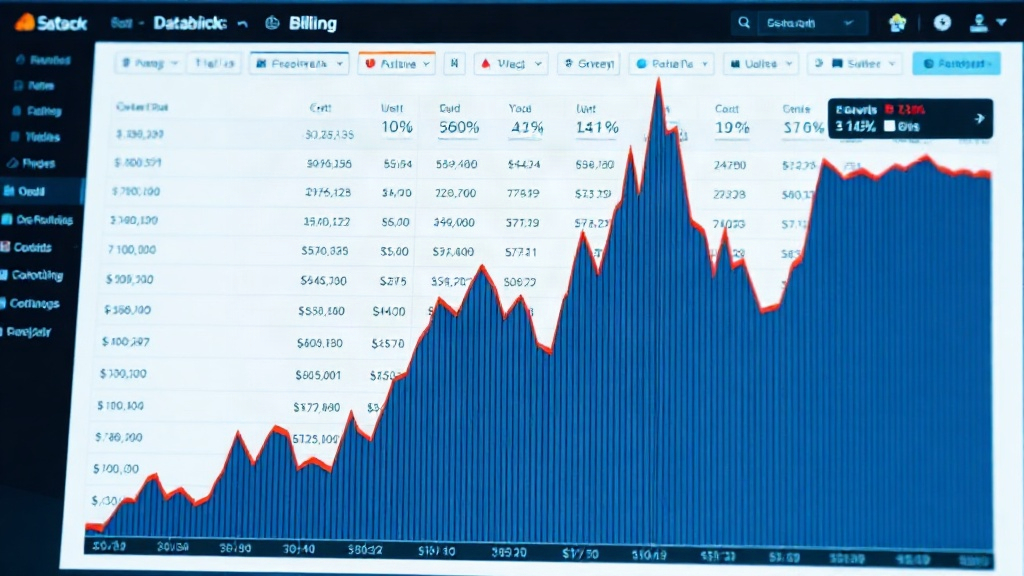
The symptom was stark: a vertical spike on the billing dashboard, a sharp contrast to the steady, flat line of the preceding three months. The initial assumption pointed to a runaway loop in a Python job, a common culprit for unexpected compute usage. However, digging deeper revealed a more nuanced and, for many data teams, a more insidious problem: the interplay between Databricks' serverless SQL warehouses, inefficient query patterns, and the platform's default configurations.
Unpacking the Serverless SQL Warehouse Cost Anomaly
Databricks serverless SQL warehouses offer a compelling proposition: managed infrastructure, automatic scaling, and rapid query performance without the overhead of managing clusters. They abstract away the complexity of underlying compute, allowing data analysts and scientists to focus on insights. However, this abstraction can also mask the true cost drivers. In Soni's case, the issue wasn't a single bug but a combination of factors that, when aligned, created a perfect storm for unexpected expenditure.
The team's investigation pinpointed the `sql_warehouse_prod_v2` as the primary cost center. This warehouse, configured for production use, was being hammered by queries originating from the new pipeline. While Databricks' serverless architecture is designed to handle fluctuating workloads, it doesn't inherently prevent inefficient or excessive query execution. The problem wasn't that the warehouse was *unable* to scale, but that it was scaling in response to queries that were fundamentally inefficient or, in some cases, redundant.
One critical observation was the nature of the queries being executed. Instead of optimized, targeted data retrieval, the pipeline was generating queries that either scanned vast amounts of data unnecessarily or executed complex operations repeatedly. Databricks SQL warehouses, particularly when configured with generous auto-scaling parameters, will dutifully spin up more compute nodes to satisfy these demands. Each new node adds to the DBU consumption, and thus, to the bill. The serverless model, while convenient, means these scaling events happen automatically and often without immediate human oversight, especially during off-hours.
The Role of Query Optimization and Configuration
The incident underscores a common pitfall in cloud data warehousing: the assumption that managed services eliminate the need for diligent query optimization and configuration management. Serverless compute, while powerful, is not a magic bullet against poor query design. Queries that perform full table scans on large datasets, especially when executed frequently, can quickly become prohibitively expensive. Similarly, poorly structured joins or subqueries can force the warehouse to perform excessive amounts of work.
Databricks offers various tools and best practices for query optimization, including indexing, partitioning, and understanding query plans. However, these require proactive effort. When a new data pipeline is deployed, especially one that interacts heavily with a production SQL warehouse, a thorough performance and cost analysis is crucial. This involves not just checking for functional correctness but also for computational efficiency. Are the queries retrieving only the necessary data? Are they leveraging available optimizations? Are they running in a loop or being executed more times than intended?
Furthermore, the configuration of the serverless SQL warehouse itself plays a role. Parameters such as minimum and maximum cluster sizes, auto-scaling thresholds, and idle timeout periods can all influence cost. While Databricks provides sensible defaults, these may not be optimal for every workload. For instance, a warehouse configured to scale up very aggressively might quickly rack up costs if subjected to a sudden, albeit temporary, surge in inefficient queries. Conversely, a warehouse that doesn't scale down quickly enough after a workload subsides also contributes to unnecessary spending.
Lessons Learned and Mitigation Strategies
The $14,000 weekend bill served as a harsh but valuable lesson for Soni's team. The immediate aftermath involved a deep dive into the query history and warehouse logs to precisely identify the offending queries and pinpoint the pipeline's contribution. This forensic analysis is key to preventing recurrence.
Several mitigation strategies emerged from this experience:
- Enhanced Monitoring and Alerting: Beyond general cost thresholds, implement granular alerts for specific warehouse DBU consumption rates or sudden spikes. Integrating with cloud provider cost management tools can provide earlier warnings.
- Query Performance Reviews for New Deployments: Mandate a review of query performance and estimated cost impact as part of the CI/CD process for any data pipeline that interacts with production SQL warehouses. This should include analyzing query plans and estimating data scanned.
- Serverless Warehouse Configuration Audits: Regularly review and tune serverless SQL warehouse configurations. Adjust auto-scaling parameters, idle timeouts, and maximum cluster sizes based on observed workload patterns to balance performance and cost.
- Cost Allocation and Tagging: Ensure proper tagging of Databricks jobs and warehouses to accurately attribute costs. This helps identify which pipelines or applications are driving specific compute expenses.
- Educate the Team: Foster a culture of cost awareness among data engineers and analysts. Training on efficient SQL practices, understanding DBU costs, and using Databricks' cost management tools is essential.
The incident highlights that while Databricks' serverless offerings simplify infrastructure management, they do not absolve teams of the responsibility for optimizing their data workloads and monitoring their cloud spend. The convenience of serverless can be a double-edged sword, potentially masking expensive inefficiencies until a significant bill arrives.
For any team leveraging Databricks serverless compute, especially for production workloads, this story serves as a critical reminder: monitor aggressively, optimize diligently, and configure wisely. The cost of a few hours of unchecked compute can amount to a significant financial shock, impacting project timelines and budgets.