Curl is Not a Browser
You've built an API. You tested it with curl and every endpoint responded perfectly. Then, you pointed a frontend application at it, expecting the same flawless performance. Instead, you're met with an error message that looks something like this:
Access to fetch at 'http://localhost:8080/api/login' from origin 'http://localhost:5173' has been blocked by CORS policy: Response to preflight request doesn't pass access control check.This is a common point of confusion. The crucial detail is that your API is likely not broken, and curl was never the correct test for browser-based applications. The culprit is Cross-Origin Resource Sharing, or CORS.
curl operates differently from a web browser. When you use curl, you're essentially making a direct request from your command line to your API server. curl doesn't have a concept of an originating web page. It sends the request and simply returns the server's response. It has no inherent security restrictions related to where the request originated from.
A browser, however, is far more sophisticated and security-conscious. When JavaScript code running on a webpage (e.g., http://localhost:5173) makes a request to your API (e.g., http://localhost:8080), the browser actively enforces security policies. It knows precisely where the request originated and checks if the server it's contacting permits requests from that specific origin.
Understanding CORS
CORS is a security mechanism implemented by web browsers. Its primary purpose is to prevent malicious websites from making requests to other domains on behalf of a logged-in user. Imagine a scenario where you're logged into your bank's website. If a malicious site could trick your browser into sending an authenticated request to your bank's API without your knowledge or consent, it would be a significant security breach.
CORS works by requiring the server to explicitly state which origins (domains, protocols, and ports) are allowed to access its resources. This is done through specific HTTP headers that the server sends back in its response. The browser interprets these headers and decides whether to allow the frontend JavaScript to access the response or to block it.
The Preflight Request
For requests that are considered 'non-simple' (e.g., requests using methods other than GET, HEAD, or POST with specific content types, or requests with custom headers), browsers initiate a 'preflight' request before sending the actual request. This preflight request is an OPTIONS HTTP method request. It's sent to the API endpoint to ask the server for permission to make the actual request. The browser sends specific headers with the OPTIONS request, including:
Access-Control-Request-Method: The HTTP method the actual request will use (e.g.,POST,PUT).Access-Control-Request-Headers: Any custom headers the actual request will include.Origin: The origin of the frontend application making the request (e.g.,http://localhost:5173).
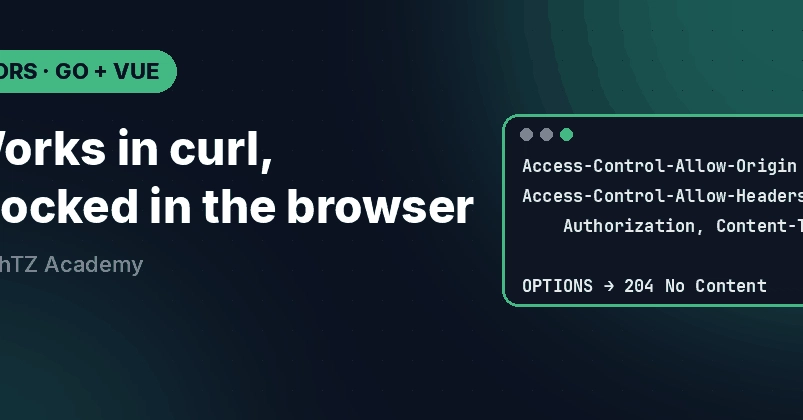
The server must respond to this OPTIONS request with appropriate Access-Control-Allow-* headers. If the server indicates that it allows requests from the specified origin, with the specified method and headers, the browser will then proceed to send the actual request. If the preflight request fails (i.e., the server doesn't respond with the correct CORS headers or denies permission), the browser will block the actual request and show the CORS error message you encountered.
Implementing CORS Middleware
The solution is to configure your API server to send the correct CORS headers. This is typically done by adding middleware to your API application. The specific implementation depends on the framework or language you are using. The goal is to instruct the server to include headers like:
Access-Control-Allow-Origin: Specifies which origins are allowed. This can be a specific origin (e.g.,http://localhost:5173), a wildcard (*, which is generally discouraged for security reasons), or a list of allowed origins.Access-Control-Allow-Methods: Specifies the HTTP methods allowed (e.g.,GET, POST, PUT, DELETE, OPTIONS).Access-Control-Allow-Headers: Specifies the custom headers allowed (e.g.,Content-Type, Authorization).Access-Control-Allow-Credentials: Indicates whether the server allows credentials (like cookies or HTTP authentication) to be sent with the request.Access-Control-Max-Age: Specifies how long the results of a preflight request can be cached by the browser.
For a Go application, for instance, you might use a library like github.com/rs/cors. You would typically configure it with the origins, methods, and headers you want to allow and then add it as middleware to your HTTP router. This middleware intercepts incoming requests, checks them against the CORS policy, and adds the necessary Access-Control-Allow-* headers to the responses.
Consider this simplified example for a Go API:
package main

import (
	"net/http"

	cors "github.com/rs/cors"
)

func main() {
	mux := http.NewServeMux()
	// ... register your API handlers ...

	corsConfig := cors.New(cors.Options{
		AllowedOrigins: []string{"http://localhost:5173"}, // Allow your frontend origin
		AllowedMethods: []string([]string{"GET", "POST", "PUT", "DELETE", "OPTIONS"},
		AllowedHeaders: []string([]string{"Content-Type", "Authorization"},
		AllowCredentials: true,
		MaxAge: 3600, // 1 hour
	})

	handler := corsConfig.Handler(mux)
	http.ListenAndServe(":8080", handler)
}
By implementing CORS correctly on your API server, you are essentially giving the browser explicit permission to allow your frontend application to make requests. This ensures that your API is accessible not just from command-line tools like curl, but also from the web applications that depend on it.
When to Use What
The distinction between curl and a browser is fundamental. Use curl for testing API endpoints in isolation, verifying request and response formats, and debugging server-side logic. It's a direct line to your API without any intermediaries.
Use a browser-based frontend application, or tools that emulate browser behavior (like Playwright or Puppeteer), when you need to test how your API interacts with JavaScript running in a real-world browser environment. This is where CORS becomes relevant. The error messages you see in the browser console are your direct feedback on whether your API is correctly configured to be consumed by web applications.
If you're building an API that will be consumed by a frontend, always consider CORS from the start. It's not an afterthought; it's a critical part of making your API accessible to the web. The fact that curl works is a sign your API logic is sound, but it doesn't tell you if your API is web-ready.