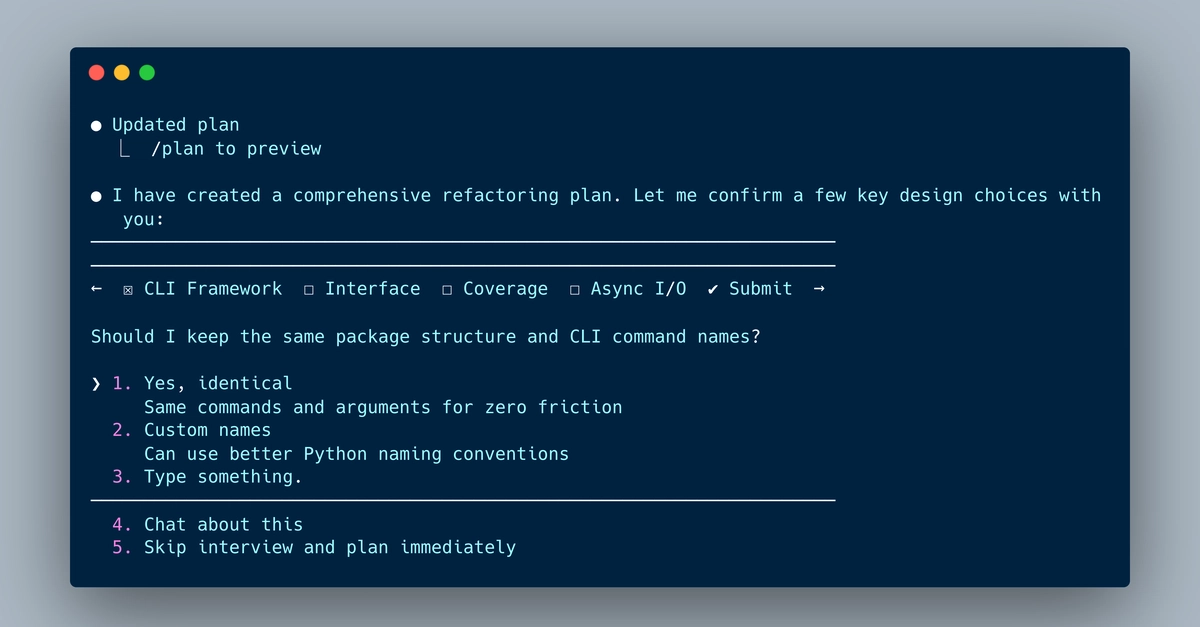
Evolving AI Coding: Claude Code CLI v2.1.91
Claude Code, positioned as a frontier agentic tool for coding, is making significant strides in autonomous code development. The latest iteration, claude_code v2.1.91, released on April 2, 2026, introduces enhanced capabilities for managing AI-driven coding projects. This version focuses on refining the user's interaction with the AI, particularly in controlling conversation flow and defining precise file system permissions. The tool autonomously creates structured plans with individual tasks to implement complex code changes. It achieves this by parsing user prompts, injecting them into pre-configured system prompts, and then issuing and resolving tool usages to operate on a computer's file system.
The core of these updates lies in what the developers are calling "Conversation Ops" and "Permissions." Conversation Ops refers to the mechanisms for steering Claude's invocation within a current project. This allows users to guide the AI's focus, reset its context, or steer it towards specific development paths without initiating entirely new sessions. Permissions, on the other hand, provide fine-grained control over how the Claude Code terminal can access your files. This is a critical development for security and project integrity, ensuring that the AI only interacts with the necessary parts of your file system.
Previously, managing multiple AI coding sessions could lead to a fragmented experience. Developers often found themselves missing crucial prompts or overlooking completed tasks, especially when running sessions in parallel within terminals like iTerm2. This challenge is being addressed by the broader ecosystem, as evidenced by community-driven tools like shiibar-cc.
Introducing Shiibar-cc: A Dedicated Turn Indicator
The need for better session management in AI coding tools has spurred innovation from the community. shiibar-cc, a lightweight macOS menu bar application, has emerged to tackle the specific problem of knowing when an AI session requires user input. Developed by a user who found themselves managing several Claude Code sessions concurrently in iTerm2 tabs, shiibar-cc acts as a visual cue for user interaction.
The application monitors Claude Code sessions running in plain iTerm2 windows and tabs. It deliberately avoids integration with more complex terminal multiplexers like tmux or other agent frameworks, focusing on a niche but common user setup. The primary function of shiibar-cc is to provide clear, at-a-glance status updates through its menu bar icon. While a session is actively working, the icon displays a blinking asterisk (✻). When a session is awaiting user input, such as a permission prompt or a task confirmation, the icon changes to a bold exclamation mark (!). Furthermore, if a session has encountered an issue or requires urgent attention that the user has not yet acknowledged, a red badge appears on the icon.
This simple yet effective indicator aims to reduce the friction of managing AI coding workflows. By providing immediate feedback on session states, shiibar-cc helps developers stay engaged with their AI coding assistants and respond promptly to their needs. This prevents permission prompts from lingering unattended and ensures that completed tasks are acknowledged efficiently, ultimately streamlining the development process.
Deep Dive into Conversation Ops
Conversation Ops in Claude Code CLI v2.1.91 are designed to give developers more control over the AI's ongoing dialogue and task execution. This feature set allows users to actively shape the AI's understanding and direction within a project context. Instead of the AI operating in a vacuum, users can now subtly influence its planning and execution phases.
Key aspects of Conversation Ops include:
- Context Steering: Users can provide explicit instructions to guide the AI's focus. For example, if Claude Code is working on feature A but the developer wants it to pivot to feature B, Conversation Ops allows for a directive to shift that focus.
- Task Re-evaluation: If a generated task seems inefficient or incorrect, users can prompt the AI to re-evaluate its plan or a specific task within the plan.
- Session Reset/Branching: While not a full session restart, Conversation Ops can enable a form of contextual reset or branching, allowing the AI to explore an alternative approach without losing all prior context.
- Tool Usage Management: Users can monitor and, in some cases, preempt or modify the tools the AI intends to use for a given task, adding a layer of oversight.
The ability to fine-tune the AI's conversational thread is crucial for complex, multi-stage coding projects. It moves the interaction from a purely reactive model to a more collaborative and directive one, where the developer acts as a conductor, guiding the AI's immense capabilities.
Understanding Permissions for File System Access
The introduction of granular permissions is perhaps the most significant security and usability enhancement in Claude Code CLI v2.1.91. Agentic tools that operate on a file system inherently carry risks. Uncontrolled access could lead to accidental deletion of critical files, modification of sensitive data, or exposure of proprietary code.
Claude Code CLI now implements a robust permission system that requires explicit user consent for different levels of file system interaction. This system is designed to be transparent and user-friendly, ensuring that developers understand exactly what the AI is being allowed to do.
The permission model includes:
- Read-Only Access: Allows the AI to inspect files and directories but not modify them. This is useful for code analysis, documentation generation, or understanding project structure.
- Read-Write Access (Scoped): Grants permission to read and write files within specific, user-defined directories or projects. This is the most common mode for active code generation and modification. Users must explicitly approve each directory or project scope.
- Execute Permissions: For operations that require running scripts or commands, explicit permission must be granted.
- Deny/Revoke: Users can at any time deny or revoke previously granted permissions, forcing the AI to re-request access if needed.
This layered approach to permissions ensures that the power of agentic coding tools is harnessed responsibly. It provides a safety net, preventing unintended consequences and maintaining developer control over their codebase. The system is designed to be intuitive, with prompts appearing naturally when the AI attempts an operation that requires elevated privileges. For developers running multiple sessions, the shiibar-cc tool can provide an immediate alert when such a permission prompt appears, minimizing the chance of it being missed.
The Synergy of CLI Control and External Indicators
The advancements in Claude Code CLI v2.1.91, particularly Conversation Ops and Permissions, significantly enhance the control and safety of AI-assisted coding. However, the effectiveness of these features relies on timely user interaction. This is where community tools like shiibar-cc become invaluable.
The synergy is clear: Claude Code CLI provides the granular controls for AI behavior and system access. shiibar-cc provides the immediate, unmissable feedback loop that ensures users can act on prompts and requests generated by the CLI. For instance, when Claude Code requires a permission grant, the CLI presents the prompt, and shiibar-cc immediately signals that user attention is needed in the relevant iTerm2 tab. This combination transforms the experience of managing multiple, complex AI coding agents from a potentially chaotic endeavor into a more organized and efficient workflow.
As AI coding agents become more sophisticated and integrated into development pipelines, tools that facilitate seamless human-AI collaboration will be essential. Claude Code CLI's latest updates represent a step towards more sophisticated agentic control, while companion tools highlight the ongoing need for effective user interface and workflow management in the evolving landscape of AI development.