
Bridging Local and Cloud Databases for Centralized Data Management
Structured data, typically organized in rows and columns, resides in databases like PostgreSQL or MySQL. These databases can be hosted locally on a developer's machine or offered as a cloud-managed service. When data spans multiple databases or is distributed between local and cloud environments, a universal data management system becomes essential for centralized control. DBeaver is a prime example of such a platform, providing a unified interface to interact with diverse data sources. This guide outlines the process of setting up PostgreSQL both locally and as a cloud-managed service with Aiven, demonstrating how to access both from DBeaver and subsequently link them to Power BI for comprehensive data visualization.
The Setups
To achieve centralized data management across hybrid environments, we need to establish the necessary database instances and the connecting tools. This involves setting up a local PostgreSQL server, provisioning a cloud-hosted PostgreSQL instance, and configuring a data management tool to access both simultaneously. The subsequent step involves leveraging a business intelligence tool to draw insights from this unified data pool.
Local PostgreSQL Setup
PostgreSQL is a powerful, open-source object-relational database system known for its reliability, feature robustness, and performance. Installing it locally provides developers with a dedicated, private environment for development, testing, and small-scale production workloads. The setup process typically involves downloading the appropriate installer for your operating system (Windows, macOS, or Linux) from the official PostgreSQL website. Post-installation, you will need to initialize a database cluster and set up a user account with administrative privileges.
For local development, using Docker can simplify the process significantly. A Docker image for PostgreSQL allows for quick deployment and isolation, ensuring that the database environment does not interfere with other system processes. A simple command like docker run --name my-postgres -e POSTGRES_PASSWORD=mysecretpassword -p 5432:5432 -d postgres can spin up a functional PostgreSQL server. This command creates a container named `my-postgres`, sets a password for the default `postgres` user, maps the container's port 5432 to the host's port 5432, and runs the container in detached mode. You can then connect to this instance using any PostgreSQL client, including DBeaver, using `localhost` as the host and `5432` as the port.
Cloud-Managed PostgreSQL with Aiven
For production environments or when collaboration and scalability are paramount, a cloud-managed PostgreSQL service is often preferred. Aiven offers a managed data platform that includes PostgreSQL as a service, abstracting away the complexities of server maintenance, backups, scaling, and security patching. This allows teams to focus on application development and data analysis rather than infrastructure management.
Setting up a PostgreSQL instance with Aiven involves signing up for an account on their platform and creating a new service. During service creation, you select PostgreSQL as the database type, choose a suitable cloud provider and region, and select the service plan that matches your performance and storage needs. Aiven automatically provisions and configures the database, providing you with connection details, including a host, port, database name, user, and password. They also offer features like automated backups, point-in-time recovery, and read replicas, which are crucial for robust data management.
The surprising detail here is not the ease of provisioning a managed service, but the built-in security and high availability features Aiven provides out-of-the-box. Unlike a self-hosted local instance where these aspects require significant manual configuration and ongoing effort, Aiven handles them as part of the service. This significantly reduces the operational burden and risk for businesses.
Centralized Access with DBeaver
DBeaver is a free, open-source universal database tool for developers and database administrators. It supports a wide range of databases, including PostgreSQL, MySQL, SQL Server, Oracle, and many more. Its key strength lies in its ability to connect to multiple database instances simultaneously and manage them from a single interface. This makes it an ideal tool for bridging local and cloud environments.
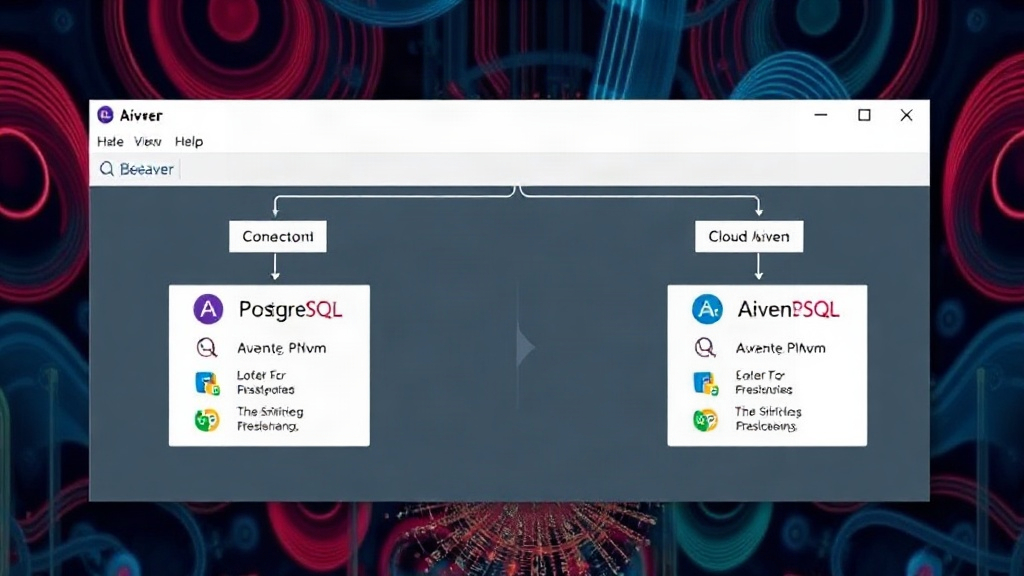
To connect DBeaver to both your local and Aiven-hosted PostgreSQL instances, you initiate the connection process for each. For the local instance, you provide `localhost` as the host, the default port `5432`, the database name (often `postgres` by default), and your local user credentials. For the Aiven instance, you use the connection details provided by Aiven, which will include a specific host address, port, database name, username, and password. Once both connections are established and saved within DBeaver, you can browse schemas, tables, and data for both databases side-by-side. You can even execute SQL queries that pull data from or push data to either instance, or potentially use cross-database queries if your setup supports it (though this is more complex and often better handled by dedicated data integration tools or ETL processes).
Think of DBeaver less like a database itself, and more like a highly organized librarian who can access and manage books from multiple, geographically dispersed libraries (your local machine and the cloud) all from one central desk.
Data Visualization with Power BI
Once your data is accessible and manageable through a tool like DBeaver, the next logical step for many businesses is to gain insights through data visualization. Power BI, Microsoft's business analytics service, is a powerful tool for creating interactive dashboards and reports. It can connect to a vast array of data sources, including relational databases like PostgreSQL.
Connecting Power BI to your PostgreSQL instances involves using the PostgreSQL connector available within Power BI Desktop. You will need to provide the server name (which could be `localhost` for your local instance or the Aiven host address), the database name, and authentication credentials. If you are connecting to a cloud service like Aiven, you might need to configure firewall rules or IP whitelisting on the Aiven side to allow Power BI's IP addresses to access the database. This is a crucial security step to prevent unauthorized access.
After establishing the connection, Power BI allows you to import data from your tables or use DirectQuery to query the database in real-time. You can then transform the data using Power Query, build relationships between tables (even if they originate from different database instances), and create compelling visualizations. This enables users to analyze trends, identify patterns, and make data-driven decisions, all while the underlying data resides in separate local and cloud environments but is presented as a unified view within Power BI.
The Unified Data Picture
By combining local development databases with cloud-managed services and centralizing access through tools like DBeaver, organizations can achieve a robust hybrid data management strategy. This approach allows for the flexibility of local development and testing while ensuring the scalability, reliability, and accessibility of cloud-based data for production and analytics. Power BI then acts as the window into this unified data landscape, transforming raw data into actionable business intelligence.
What nobody has fully addressed yet is the long-term cost-benefit analysis of maintaining such a hybrid setup versus a purely cloud-native approach, especially as data volumes and complexity grow. While DBeaver and Power BI offer excellent bridging capabilities, the overhead of managing two distinct environments, synchronizing schemas, and ensuring consistent security policies across both can become substantial.