
The Problem: SaaS Fatigue and Scattered Workflows
Modern software development often involves juggling numerous Software-as-a-Service (SaaS) applications, each with its own dashboard, subscription fee, and learning curve. For many, especially those who spend significant time in terminals and chat applications, this leads to fatigue. The desire for a more integrated, efficient workflow is palpable. Imagine an AI assistant that doesn't require a new login, a dedicated app, or a complex setup, but lives directly within the communication tool you already use daily. This is the premise behind building a personal AI agent within Telegram.
Why Telegram?
Telegram offers a robust platform for bot development. Its API is well-documented, and the bot infrastructure is mature, allowing for sophisticated interactions. For a personal AI agent, Telegram provides several key advantages:
- Ubiquity: Most developers and tech professionals already use Telegram for communication. Integrating an AI agent here means it’s always accessible without switching contexts.
- Simplicity: Interacting with a bot via chat is intuitive. You send a message, the bot responds. This natural language interface is perfect for AI.
- Privacy: For personal use, a Telegram bot can offer a degree of privacy. You control the bot and its interactions, keeping your AI-assisted tasks within a familiar, trusted environment.
- Extensibility: Telegram bots can be programmed to perform a wide range of actions, from simple information retrieval to complex task execution.
Core Components of a Telegram AI Agent
Building such an agent involves several key technical components:
1. Telegram Bot Setup
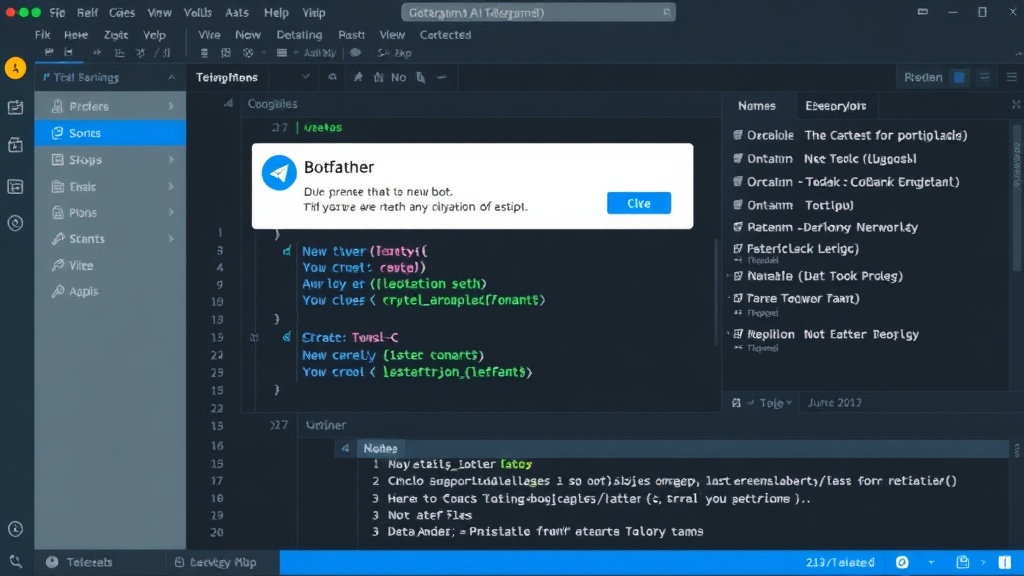
The first step is creating a bot on Telegram. This is done through the BotFather, a Telegram bot itself. You’ll register your bot, give it a name and username, and receive an API token. This token is crucial for authenticating your bot with the Telegram Bot API and allowing your code to send and receive messages.
2. AI Integration
This is the intelligence layer. You can leverage various AI models and services:
- Large Language Models (LLMs): Services like OpenAI's GPT-3/GPT-4, Google's Gemini, or open-source models hosted locally or via APIs can power the conversational abilities and task execution. You’ll need to integrate with their APIs, sending user prompts and receiving generated responses.
- Task-Specific Models: For specialized tasks (e.g., image generation, code analysis), you might integrate with other AI models or services.
3. Backend Logic and Orchestration
This is the code that ties everything together. Your backend application will:
- Receive Messages: It listens for incoming messages from your Telegram bot via webhooks or polling the Telegram API.
- Process Prompts: It takes the user's message, potentially preprocesses it, and sends it to the chosen AI model.
- Execute Actions: Based on the AI's response or specific commands, the backend might need to interact with other services, databases, or local scripts. This is where the AI agent moves beyond simple chat to performing actual tasks.
- Send Responses: The backend receives the AI's output or the result of an action and sends it back to the user via the Telegram Bot API.
4. Hosting and Deployment
To keep your bot running continuously, you need to host your backend application. Options range from simple cloud virtual machines (like AWS EC2, DigitalOcean Droplets) to serverless functions (AWS Lambda, Google Cloud Functions) or even running it on a personal server or Raspberry Pi for maximum control and minimal cost. The choice depends on your technical comfort, budget, and the complexity of your agent.
Example Workflow: Summarizing a Webpage
Consider a common use case: summarizing a long article or webpage. A user might send a URL to the Telegram bot. The backend would then:
- Receive the URL from Telegram.
- Use a web scraping library (e.g., `requests` and `BeautifulSoup` in Python) to fetch the content of the URL.
- Clean the fetched HTML to extract only the main text content.
- Send the extracted text to an LLM API (like GPT-4) with a prompt such as, "Summarize the following text: [extracted content]".
- Receive the summary from the LLM.
- Send the summary back to the user via the Telegram bot.
This workflow, executed entirely within Telegram, bypasses the need to open a browser, navigate to a summarization website, paste the URL, and wait for results. The AI agent does the heavy lifting behind the scenes.
Beyond Summaries: Potential Applications
The possibilities are vast. A personal Telegram AI agent could:
- Manage To-Do Lists: Add, remove, and query tasks via chat.
- Automate Code Snippets: Generate boilerplate code, write simple functions, or refactor existing code.
- Draft Emails: Compose initial drafts of emails based on your instructions.
- Personal Knowledge Base: Store and retrieve notes, ideas, or code snippets you've shared with the bot.
- Control Smart Home Devices: (With further integration) Trigger actions on your home network.
- Monitor Services: Check the status of websites or services and notify you of changes.
The Unanswered Question: Scalability and Personalization
While building a personal agent is straightforward, the real challenge emerges when considering deeper personalization and scalability. How do you train or fine-tune an LLM to understand your unique jargon, writing style, or project context without exposing sensitive proprietary information? Furthermore, as the agent performs more complex tasks that require state or memory across conversations, managing that state efficiently and securely becomes paramount. The current approach often relies on basic prompt engineering and context windows, but for a truly indispensable assistant, more advanced techniques will be needed.
Conclusion: Your AI, Your Workspace
Building a Telegram AI agent is a practical solution for developers and professionals seeking to reduce SaaS fatigue and streamline their digital lives. By leveraging Telegram's bot API and powerful AI models, you can create a personalized assistant that operates directly within your existing communication flow. This approach puts the power of AI at your fingertips, exactly where you work, without adding another dashboard to manage.