
Understanding MCP Servers
An MCP server is a lightweight application designed to enhance an AI model's capabilities. It achieves this by providing access to custom tools, specific datasets, or predefined workflows. The foundation of this approach is the Model Context Protocol (MCP), an open standard that facilitates the connection of AI applications with these external resources.
The MCP framework consists of two primary components: the server and the client. The server is the application you develop to publish your tools or data. The client, such as Claude Code, is responsible for discovering and invoking these tools, subject to your explicit permissions. This architecture allows AI models to leverage external functionalities without needing to embed them directly, offering a flexible and modular way to expand their intelligence.
Building an MCP server is remarkably straightforward, especially when utilizing the official SDK. The process typically involves implementing a single function, marking it as a tool, and then exposing it via standard input/output (stdio). This exposed tool can then be registered within Claude Code. In practice, this often translates to a single Python file containing a single tool, with end-to-end connection achievable in as little as 10 minutes.
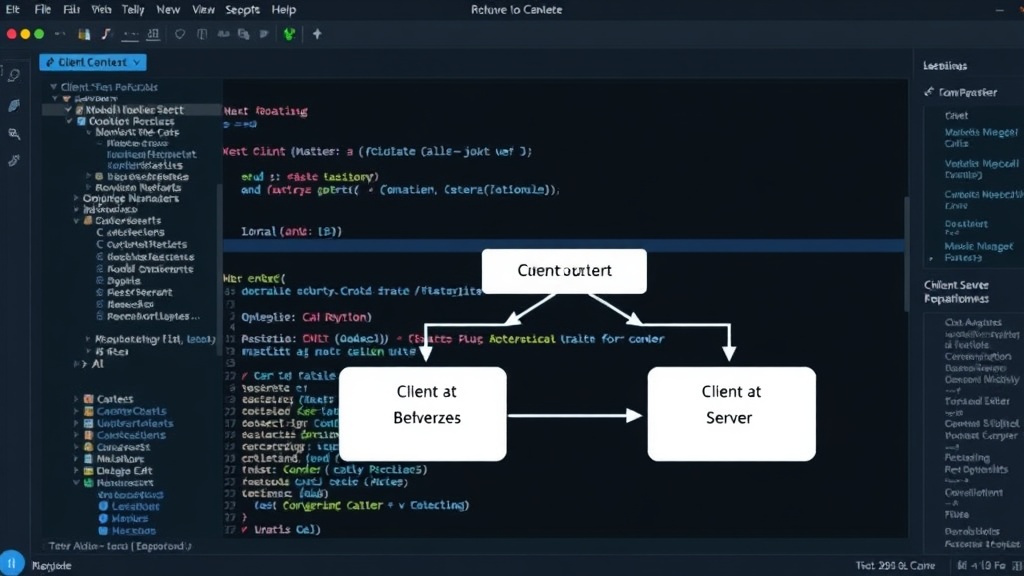
Implementing Your First MCP Server in Python
To begin, you'll need Python installed on your system. The core of your MCP server will be a Python script that defines the tool(s) you want to expose. Let's consider a simple example: a tool that can fetch the current weather for a given city. This involves defining a Python function that takes a city name as input and returns weather information.
The MCP SDK simplifies the process of packaging this function as a tool. You would typically decorate your function with specific metadata that the MCP framework recognizes. This metadata includes a name for the tool, a description of what it does, and the expected parameters (e.g., the city name). This description is crucial as it allows the AI client, like Claude Code, to understand when and how to use your tool.
Once the tool is defined and decorated, the SDK handles the communication layer. The server application essentially listens for requests from the client. When the AI model determines that your tool can help answer a user's query, it sends a request to your MCP server, including any necessary parameters. Your server then executes the corresponding Python function, processes the request, and returns the result to the AI model.
Exposing the tool via stdio is a key step. This means your Python script will communicate using standard input and output streams. Claude Code, acting as the client, reads from your script's standard output and writes requests to its standard input. This mechanism bypasses the need for complex networking setups like HTTP servers for simple use cases, making deployment and integration much faster.
Connecting to Claude Code
Registering your MCP server with Claude Code involves a few simple steps. Once your Python script is ready and correctly configured with the MCP SDK, you can point Claude Code to it. The interface within Claude Code allows you to specify the path to your Python script and the tool(s) it exposes. Claude Code will then manage the interaction, sending prompts to the AI model and, when appropriate, routing requests to your Python server.
The beauty of this integration lies in its seamlessness. Developers can create specialized tools—whether for data analysis, content generation, or external API interaction—and make them available to the AI without extensive modifications to the AI's core. This is particularly powerful for tasks that require precise data manipulation or access to real-time information that the base AI model might not possess.
For instance, imagine you have a proprietary database of historical stock prices. You could build an MCP server with a tool that queries this database and returns specific historical data points. When a user asks Claude Code a question about past stock performance, Claude Code could identify that your MCP tool is the best way to get the answer, query your server, and then present the information in a coherent response.
The Model Context Protocol is designed with extensibility in mind. While a single-function server is the quickest way to get started, you can extend your MCP server to include multiple tools, each serving a different purpose. This allows you to build a comprehensive suite of custom functionalities that can be dynamically invoked by the AI.
The Broader Implications of MCP
The Model Context Protocol and the ease of building MCP servers in Python have significant implications for the AI development landscape. It democratizes the creation of specialized AI agents. Developers can now build highly tailored AI assistants that are augmented with specific domain knowledge or operational capabilities, rather than relying solely on the general knowledge of large language models.
This approach fosters modularity and reusability. A well-defined MCP tool can be used across different AI clients or even different projects, reducing development overhead. It also allows for easier updates and maintenance; if a tool needs to be improved or fixed, only the MCP server component needs to be modified, not the entire AI application.
The real surprise here is how rapidly this ecosystem is evolving. What took significant engineering effort just a year ago—integrating custom logic with AI models—can now be accomplished in minutes with tools like the MCP SDK and platforms like Claude Code. This acceleration means developers can iterate faster and bring more sophisticated AI-powered applications to market more quickly.
What remains to be seen is the long-term governance and standardization of MCP. As more developers and companies adopt this protocol, ensuring interoperability and security across a diverse range of servers and clients will become increasingly important. Establishing robust best practices for tool design, parameter validation, and secure communication will be key to the protocol's widespread success.