
The Trap of Passive AI Learning
Many aspiring AI developers fall into a content consumption trap. They watch countless Claude Code tutorials, save endless prompt threads, and marvel at rapid SaaS builds. Hours evaporate, yet tangible progress remains elusive. This passive approach, while seemingly productive, fails to translate into practical coding skills. The core issue is a lack of hands-on experience. You can watch someone code a weather app a dozen times, but you won't truly learn until you write the first line of code yourself, debug your own errors, and ship your own feature.
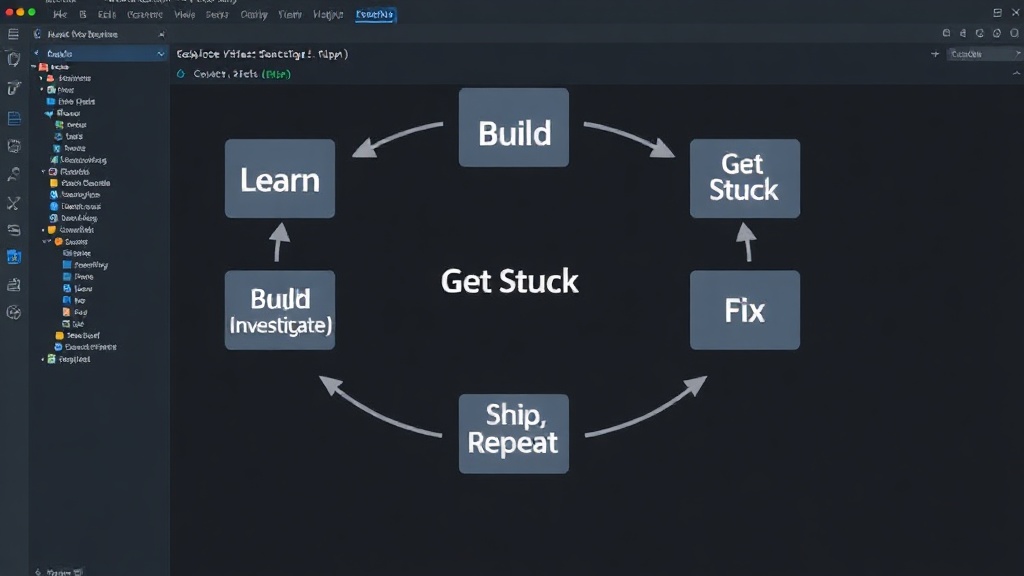
Claude Code, like other advanced AI coding assistants, is particularly well-suited for project-based learning. The key is to embrace a structured, iterative development loop: learn enough to start, build something, get stuck, investigate, fix it, ship it, and then tackle something harder. This cycle forces active engagement and problem-solving, the very skills essential for building AI applications.
Project Path: From Simple to Sophisticated
The following project ideas are designed to progressively build your AI development skills using Claude Code. They move from foundational concepts to more complex applications, ensuring you learn by doing and by overcoming challenges.
1. Basic Text Summarizer
Objective: Understand prompt engineering and basic Claude Code interaction for text manipulation.
Start with a simple Python script that takes a block of text and uses Claude Code to generate a concise summary. This project teaches you how to frame a request to the AI, handle its output, and integrate it into a functional script. Focus on refining prompts to control summary length and detail.
2. Email Subject Line Generator
Objective: Explore creative text generation and conditional logic.
Build a tool that generates catchy email subject lines based on email content. This involves passing the email body to Claude Code and asking it to suggest several subject line options. You'll learn to manage multiple AI outputs and implement basic filtering or selection logic.
3. Simple Chatbot with Memory
Objective: Introduce state management and conversational context.
Create a basic chatbot that can remember a few key pieces of information from the conversation (e.g., the user's name, a previously discussed topic). This requires storing conversation history and feeding it back to Claude Code with each new user input to maintain context. It’s a crucial step towards building more interactive AI agents.
4. Content Idea Generator
Objective: Leverage AI for creative brainstorming and topic expansion.
Develop a tool that generates content ideas (blog posts, social media updates) based on a given theme or keyword. Claude Code can brainstorm titles, outlines, and even initial talking points. This project sharpens your ability to guide AI creativity for specific content marketing goals.
5. Code Explainer Tool
Objective: Utilize Claude Code for code analysis and documentation.
Write a script that takes a snippet of code and asks Claude Code to explain what it does in plain language. This is a practical application for developers learning new codebases or for documenting existing code. It requires careful prompting to ensure the explanation is accurate and understandable.
6. Sentiment Analysis Tool
Objective: Apply AI to natural language processing (NLP) for classification.
Build a tool that analyzes a piece of text (e.g., a customer review) and determines its sentiment (positive, negative, neutral). You'll prompt Claude Code to classify the sentiment and potentially provide a confidence score. This project touches on core NLP tasks.
7. Personalized Learning Path Generator
Objective: Combine user input with AI to create tailored recommendations.
Create a system where a user inputs their current knowledge level and learning goals for a specific topic. Claude Code then generates a personalized learning path, suggesting resources, projects, and concepts to study. This requires more complex prompting to synthesize user data into actionable advice.
8. Simple Dialogue System for Games
Objective: Explore AI for dynamic narrative generation.
Develop a rudimentary dialogue system for a text-based game. Given a character's personality and the current game state, Claude Code generates dialogue options or responses. This involves defining character personas and game contexts within your prompts.
9. Data Augmentation Script
Objective: Use AI to generate synthetic data for machine learning.
For more advanced users, build a script that generates synthetic text data for training machine learning models. For example, creating variations of existing customer support tickets to increase the size and diversity of a training dataset. This requires a deeper understanding of the desired data characteristics.
10. AI-Powered Code Refactoring Assistant
Objective: Leverage AI for code quality and optimization.
This is a capstone project. Build a tool that analyzes a piece of code and suggests refactoring opportunities for improved readability, efficiency, or adherence to best practices. Claude Code can identify potential issues and propose alternative code structures. This project integrates many of the skills learned in previous steps, requiring robust prompting and careful evaluation of AI suggestions.
The Iterative Advantage
The true power of these projects lies not just in their individual functionality, but in the iterative process they encourage. Each project builds upon the skills and understanding gained from the last. You start with basic prompt engineering, move to managing conversational state, then to creative generation, and finally to complex analysis and code improvement. Claude Code acts as an intelligent pair programmer, a knowledge base, and a creative partner, but only when you actively engage it through building.
If you find yourself stuck, that's not a failure; it's an opportunity. Dive into the documentation, experiment with different prompts, or even ask Claude Code itself for help in understanding the problem. Shipping even a small, functional piece of code provides more learning than hours of passive video consumption. This project-driven approach transforms AI tools from abstract concepts into concrete, buildable realities.