A New Contender in Pre-Configured Dual-Boot Mini PCs

The Beelink SER10 Max enters the mini PC market with a distinct advantage: it arrives ready for dual-booting Windows 11 and Ubuntu. This isn't just about having two operating systems available; it's about a streamlined experience out of the box, thanks to the pre-installation of OpenClaw. This utility is designed to simplify the management and switching between the two OS environments, aiming to eliminate the setup friction typically associated with dual-booting. For users who need the flexibility of both a mainstream desktop OS and a powerful, open-source alternative, the SER10 Max presents a compelling, if niche, proposition.
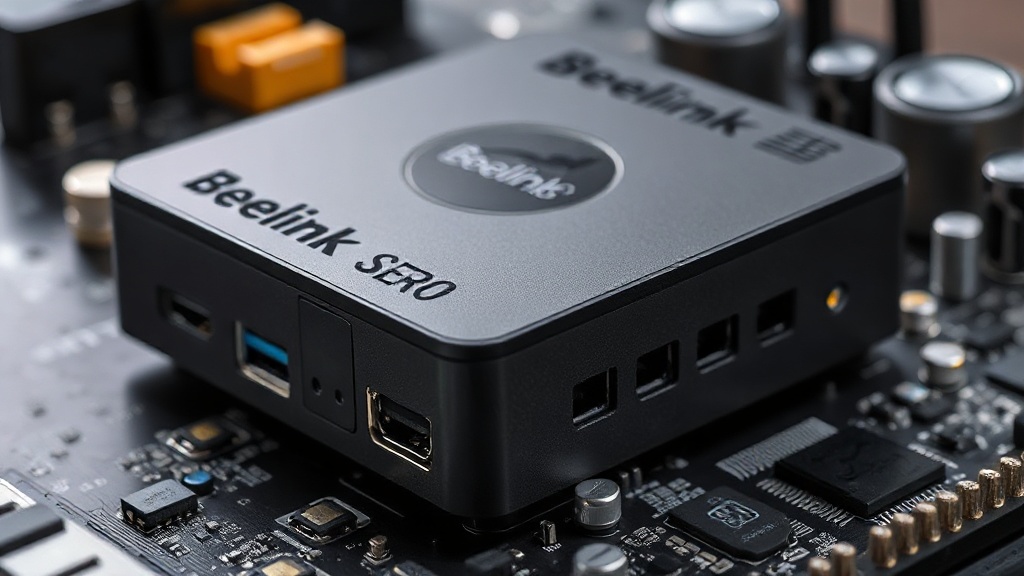
Beelink SER10 Max Mini PC front view showcasing its compact design and ports

Hardware and Performance Under the Hood

While the dual-boot capability is the headline feature, the Beelink SER10 Max is built on capable hardware designed for everyday productivity and light creative tasks. It's powered by an Intel Core i5-13420H processor, a mobile chip from Intel's 13th generation Raptor Lake family. This processor offers a hybrid architecture with performance-cores and efficient-cores, delivering a good balance of power and energy efficiency for a small form factor device. Coupled with 16GB of DDR5 RAM, the system should handle multitasking smoothly, allowing users to run Windows applications and Linux environments without significant slowdowns. Storage is handled by a 500GB NVMe SSD, providing fast boot times and application loading for both operating systems. The inclusion of DDR5 RAM and NVMe storage positions the SER10 Max as a modern and responsive mini PC, capable of more than just basic web browsing.

OpenClaw: The Key to Seamless Dual-Booting

The most innovative aspect of the Beelink SER10 Max is its integration of OpenClaw. This software acts as a boot manager and system utility, designed to make the transition between Windows 11 and Ubuntu as effortless as possible. Typically, setting up a dual-boot system requires manual partitioning, bootloader configuration, and often a degree of technical expertise. OpenClaw aims to abstract away much of this complexity. Users can select their preferred operating system at startup, and OpenClaw handles the rest. This approach is particularly beneficial for users who may not be deeply technical but require the versatility of two distinct operating systems for different workflows. For instance, a user might use Windows for general productivity and gaming, while leveraging Ubuntu for development, server tasks, or specific software not available on Windows. The success of this feature hinges on OpenClaw's stability and ease of use, making it a critical component of the SER10 Max's appeal.

Connectivity and Expandability

Beelink has equipped the SER10 Max with a comprehensive array of ports, ensuring it can connect to a variety of peripherals and displays. The front panel typically features USB ports, including Type-A and potentially Type-C, along with an audio jack. The rear panel usually offers additional USB ports, HDMI and DisplayPort outputs for multi-monitor setups (often supporting 4K resolutions), an Ethernet port for stable network connectivity, and power input. While mini PCs generally have limited internal expandability, the SER10 Max likely offers options for upgrading storage, such as an additional M.2 slot or a 2.5-inch drive bay, allowing users to increase capacity if the included 500GB SSD proves insufficient. This focus on connectivity and a degree of expandability makes it a practical choice for a home office or a workstation.

Target Audience and Use Cases

The Beelink SER10 Max is tailored for a specific segment of the market: professionals, developers, and tech enthusiasts who value the flexibility of a dual-boot setup without the hassle of manual configuration. It's ideal for individuals who need to switch between different software ecosystems regularly. For example, a software developer might use Ubuntu for its robust command-line tools and package management, while using Windows for specific IDEs or collaboration tools. Content creators could use Windows for Adobe Suite applications and Ubuntu for certain video editing or rendering software. Students in technical fields might also find this configuration useful for coursework that spans different operating systems. The pre-installed nature of OpenClaw significantly lowers the barrier to entry for these use cases, making advanced OS flexibility accessible to a broader audience.

Potential Drawbacks and Considerations

While the dual-boot functionality is a significant selling point, potential buyers should consider a few factors. The performance of the Intel Core i5-13420H, while capable, is not designed for heavy-duty tasks like high-end gaming, complex 3D rendering, or intensive video editing. Users with such demanding workloads might find it limiting. Furthermore, the long-term support and future updates for OpenClaw are crucial. If the software is not actively maintained, it could lead to compatibility issues with future OS updates or hardware changes. The reliability of the dual-boot switching mechanism over extended periods is also a point to monitor. For users who only need one operating system, the added complexity and software layer of OpenClaw might be unnecessary, and a standard single-OS mini PC could be a more straightforward choice. The 500GB SSD, while fast, might also be a constraint for users who work with large datasets or media files, necessitating an external storage solution or an internal upgrade.