The Problem: Manual SSH Deployments
Deploying a Laravel application to a Virtual Private Server (VPS) often involves a tedious, repetitive sequence of commands. Developers typically connect via SSH, navigate to the project directory, pull the latest code changes, run composer update to install dependencies, execute database migrations, and clear various caches like configuration, route, and view caches. This manual process is not only time-consuming but also a fertile ground for human error. A forgotten command, a typo, or a missed step can lead to deployment failures or introduce bugs into the production environment.
This manual routine works, but it’s inefficient and risky. For any application that requires frequent updates, this becomes a significant bottleneck and a source of developer frustration. The goal is to shift focus from the mechanics of deployment to the value of the code being deployed. Automating this process transforms deployment from a dreaded chore into a seamless, almost invisible part of the development cycle.
The Solution: GitHub Actions and SSH
To eliminate the manual drudgery, we can leverage GitHub Actions, GitHub’s integrated CI/CD platform, combined with SSH to deploy directly to a VPS. This approach creates a Continuous Deployment (CD) pipeline. Every time code is pushed to a specific branch (e.g., main or master), GitHub Actions can automatically trigger a set of scripts that perform the necessary deployment tasks on the server.
The core components of this automated deployment are:
- GitHub & GitHub Actions: GitHub hosts the repository and orchestrates the automation. GitHub Actions allows you to define workflows that run on specific events, such as a push to a branch.
- SSH: Secure Shell (SSH) provides a secure channel to connect to the VPS and execute commands remotely.
- Your Laravel Project: The application code residing in the GitHub repository.
- Your VPS: The server environment where the Laravel application will be hosted.
Setting Up SSH Access for GitHub Actions
The first crucial step is enabling GitHub Actions to securely connect to your VPS via SSH. This involves generating an SSH key pair and configuring your server to trust the public key.
1. Generate an SSH Key Pair:
On your local machine, generate a new SSH key pair. It's best practice to create a dedicated key for this purpose to avoid conflicts with your personal SSH keys.
ssh-keygen -t rsa -b 4096 -C "github-actions-deployer"
When prompted for a passphrase, leave it empty to allow for non-interactive use by GitHub Actions. This will generate two files: id_rsa (private key) and id_rsa.pub (public key).
2. Add the Public Key to your VPS:
Copy the contents of the id_rsa.pub file and add it to the ~/.ssh/authorized_keys file on your VPS. Ensure the SSH server is configured to allow key-based authentication.
# On your VPS:
cat <<EOF >> ~/.ssh/authorized_keys
<PASTE_PUBLIC_KEY_HERE>
EOF
chmod 600 ~/.ssh/authorized_keys
3. Add the Private Key to GitHub Secrets:
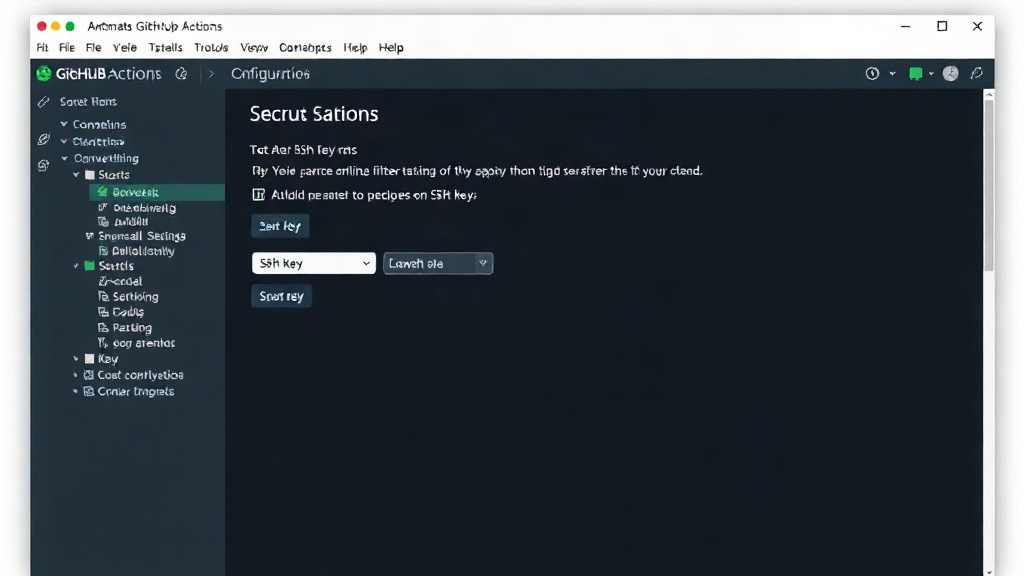
The private key (id_rsa) must be kept secret. Store it in your GitHub repository's secrets. Navigate to your repository’s Settings > Secrets and variables > Actions and create a new repository secret named SSH_PRIVATE_KEY. Paste the entire content of your id_rsa file into the value field.
Additionally, you’ll need to store your VPS’s IP address or hostname and the SSH username as secrets. Create secrets named SSH_HOST (e.g., `192.168.1.100` or `your-domain.com`) and SSH_USER (e.g., `deployer`).
Creating the GitHub Actions Workflow
Now, you need to create a workflow file in your repository. This file, typically located at .github/workflows/deploy.yml, defines the steps GitHub Actions will execute.
Here’s a breakdown of a typical workflow:
Workflow Trigger
The workflow should trigger on a push to your main deployment branch. For example, to trigger on pushes to the main branch:
on:
  push:
    branches:
      - main
Environment Setup
The job will need to check out your code and set up the necessary environment, which for Laravel often means PHP and Composer.
jobs:
  deploy:
    runs-on: ubuntu-latest
    steps:
      - uses: actions/checkout@v4

      - name: Setup PHP
        uses: shivammathur/setup-php@v2
        with:
          php-version: '8.2'
          extensions: mbstring, xml, ctype, tokenizer, json, openssl
          coverage: none

      - name: Install Composer dependencies
        run: composer install --prefer-dist --no-progress --no-suggest
SSH Connection and Deployment Script
This is where the magic happens. You’ll use an action to establish the SSH connection and then execute a script on your server. A common approach is to use an action like appleboy/ssh-action.
      - name: Deploy to VPS via SSH
        uses: appleboy/ssh-action@master
        with:
          host: ${{ secrets.SSH_HOST }}
          username: ${{ secrets.SSH_USER }}
          key: ${{ secrets.SSH_PRIVATE_KEY }}
          port: 22
          script: |
            cd /var/www/your-laravel-app
            git pull origin main
            composer install --prefer-dist --no-progress --no-suggest
            php artisan migrate --force
            php artisan view:clear
            php artisan config:clear
            php artisan route:clear
            php artisan cache:clear
            echo "Deployment successful!"
In this script, /var/www/your-laravel-app should be replaced with the actual path to your Laravel project on the VPS. The --force flag on php artisan migrate is used to bypass the confirmation prompt, essential for non-interactive CI/CD environments. Ensure your .env file on the server is correctly configured before running migrations.
Important Considerations and Best Practices
While this setup provides a solid foundation for automated deployments, several factors warrant attention:
- Environment Variables: The
.envfile on your server must be kept up-to-date. Never commit sensitive information directly into your repository. Use your server’s environment variables or a secure configuration management system. - Database Migrations: Running migrations with
--forceis critical for automation. However, always ensure you have a robust backup strategy in place before running migrations in production. Consider phased rollouts or manual approval steps for critical migration changes. - Zero-Downtime Deployments: The provided script will cause a brief moment of downtime while code is pulled and commands are executed. For zero-downtime deployments, you would need a more sophisticated setup involving multiple servers, load balancers, and a deployment strategy that switches traffic only after the new code is fully deployed and tested.
- Rollbacks: This basic setup doesn’t include an automated rollback mechanism. If a deployment fails or introduces critical bugs, you’ll need to manually revert the changes on the server. Advanced CI/CD setups often include strategies for quick rollbacks.
- Permissions: Ensure the user executing the commands on the VPS (
SSH_USER) has the necessary file system permissions to write to the application directory, clear caches, and manage vendor files. - Security: Treat your SSH private key as a highly sensitive credential. Use repository secrets and avoid hardcoding it anywhere. Regularly review server access logs.
By implementing this automated deployment pipeline, developers can significantly reduce the time and effort spent on routine deployment tasks, allowing them to focus more on building and improving their Laravel applications.