
Understanding Apple Intelligence Access Controls on Mac
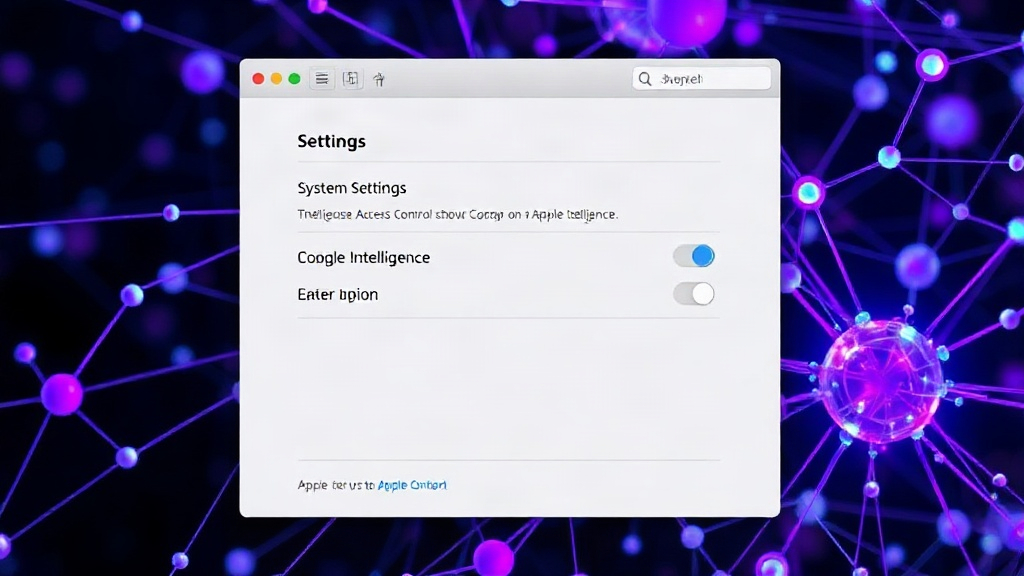
Apple's recent introduction of Apple Intelligence, its suite of AI-powered features for iPhone, iPad, and Mac, has brought significant new capabilities. However, with these powerful tools come considerations for managing access, particularly in enterprise or shared computing environments. Apple has released a support document detailing how administrators can turn off and restrict access to these features on macOS Sonoma, providing granular control over AI functionalities.
The guide, titled "Turn off and restrict access to Apple Intelligence features on Mac," outlines specific steps and profiles that can be deployed to manage these new AI capabilities. This is a crucial development for IT departments and system administrators responsible for maintaining security, privacy, and operational consistency across managed devices. The ability to disable features like advanced writing tools, image generation, and personalized Siri interactions is now a tangible option, moving beyond mere speculation about enterprise management.
The core of Apple's approach involves leveraging configuration profiles, a standard method for managing macOS devices. These profiles allow administrators to enforce specific settings and restrictions. For Apple Intelligence, this means administrators can effectively 'turn off' the entire suite of features or selectively disable individual components. This level of control is essential for organizations that may have policies against using certain types of AI, concerns about data privacy, or simply wish to standardize the user experience by limiting access to specific functionalities.
One of the primary concerns for IT professionals regarding new technologies is how they integrate with existing security frameworks and how they might introduce new attack vectors or data leakage points. By providing explicit controls for Apple Intelligence, Apple is demonstrating an awareness of these enterprise needs. This proactive approach allows organizations to adopt macOS devices with confidence, knowing they can manage the deployment of AI features according to their specific requirements.
Key Management Capabilities for Administrators
The support document details several key areas of control. Administrators can disable Apple Intelligence features entirely, preventing users from accessing any of the AI-powered enhancements. This is a blunt instrument but effective for environments where AI use is prohibited or not yet approved.
More granular control is also available. The documentation implies the ability to disable specific categories of Apple Intelligence features. This could include functionalities such as:
- Writing Tools: Features like Rewrite, Summarize, and Tone adjustments within applications.
- Image Generation: The ability to create images using Genmoji or other visual AI tools.
- Siri Enhancements: Personalized interactions, on-device processing for certain requests, and contextual awareness.
The precise method for implementing these restrictions involves deploying configuration profiles. These profiles can be created using Apple's Profile Manager or third-party Mobile Device Management (MDM) solutions. By pushing these profiles to managed Macs, administrators can enforce the desired settings without requiring individual user intervention. This scalability is critical for organizations managing hundreds or thousands of devices.
The technical implementation likely revolves around specific payload keys within the configuration profiles that correspond to the various Apple Intelligence features. While the support document provides the 'how-to' for deployment, the exact keys and their values would be detailed within Apple's developer documentation or MDM vendor resources. This approach aligns with Apple's established strategy for managing macOS, ensuring that new features are integrated into the existing administrative framework.
Why This Granular Control Matters
The introduction of these controls is more than just a technical detail; it signals Apple's understanding of the diverse needs of its user base. For individual consumers, Apple Intelligence offers a glimpse into a more intuitive and capable computing experience. For businesses and educational institutions, however, the equation is more complex. Data privacy, security, compliance, and the potential for misuse are significant factors.
Consider an organization handling sensitive patient data in healthcare. The use of AI tools that process or generate content could inadvertently violate HIPAA regulations if not properly controlled. Similarly, a financial institution might restrict AI features that could expose proprietary algorithms or customer information. The ability to disable these features ensures that organizations can maintain compliance and protect their sensitive assets.
Furthermore, the impact on workforce productivity and training needs to be managed. Not all employees may be equipped to use advanced AI tools responsibly, and some roles may not benefit from them. By allowing administrators to disable features, organizations can streamline workflows, focus training efforts on essential tools, and prevent potential disruptions caused by the misuse or misunderstanding of AI capabilities.
This move also addresses the broader conversation around AI ethics and responsible deployment. While Apple is pushing the envelope with its AI features, it's also providing the guardrails necessary for controlled adoption. This is particularly important as AI becomes more integrated into everyday workflows. The control Apple offers is akin to a building manager deciding which floors an elevator can access for different tenants – it’s about ensuring the right people have access to the right tools, and no one else.
The Broader Ecosystem Impact
The availability of these controls on macOS is a significant step for Apple's enterprise strategy. It solidifies their position as a viable platform for organizations that require robust management capabilities alongside cutting-edge features. Competitors in the enterprise OS space, and indeed other AI providers, will likely be watching how Apple's approach to AI feature management is adopted.
For developers building applications that might integrate with or be affected by Apple Intelligence, understanding these controls is also important. While end-users might have these features disabled, applications may need to gracefully handle the absence of AI functionalities. This could involve providing alternative workflows or informing users about the limitations imposed by their system administrator.
The release of this support document is timely. As Apple Intelligence rolls out more broadly, the need for administrators to manage its deployment will only increase. The clarity provided by Apple in this guide empowers IT professionals to make informed decisions about how and where these powerful new AI features will be utilized within their managed environments.
Ultimately, Apple's decision to provide these controls underscores a balanced approach to innovation. They are not just introducing powerful AI but also the necessary tools for responsible stewardship of that power. For organizations that have hesitated to embrace new AI technologies due to management concerns, this move may significantly lower the barrier to adoption on the Mac platform.