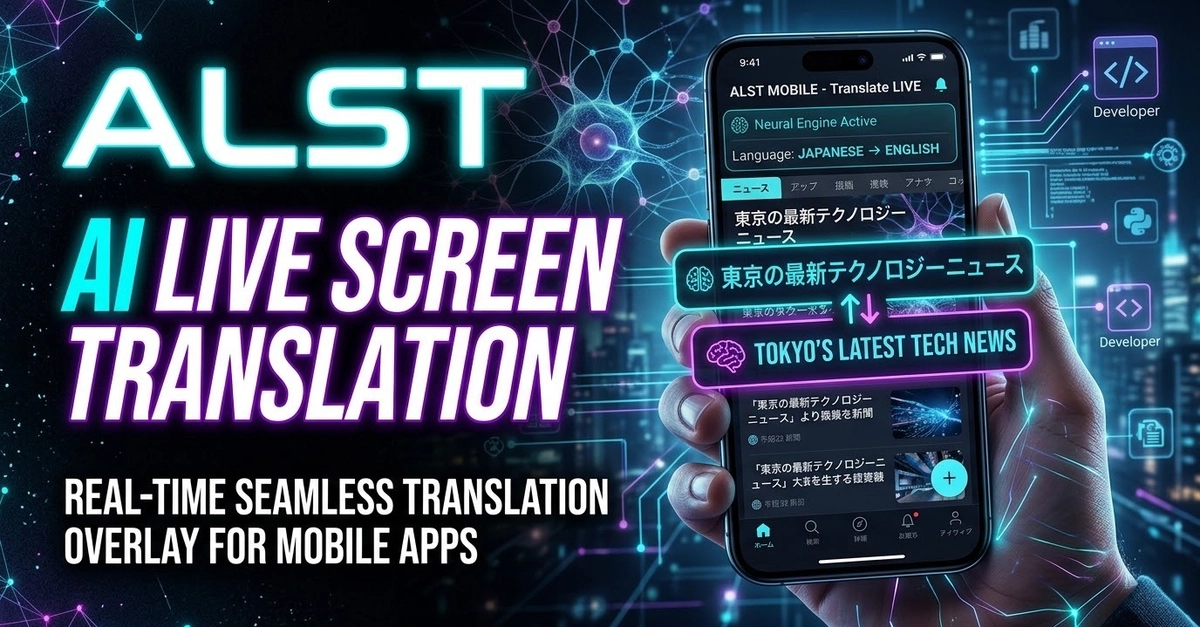
Solving the Screen Translation Friction Point
Language barriers in mobile apps, games, and foreign media present a persistent challenge for users. Existing solutions on Android often require cumbersome workflows: taking manual screenshots, freezing the screen, switching between multiple applications, or enduring rigid OCR overlays that obstruct the view. Navid Seyedain, a developer, set out to address this friction with ALST (AI Live Screen Translation), an open-source project designed to translate any on-screen content in-place, rendering the translated text directly over the original content without disrupting the user’s active app experience.
ALST’s core innovation lies in its ability to perform real-time, contextual translation directly on the Android display. Unlike traditional methods that necessitate user intervention for each translation, ALST operates seamlessly in the background. The project leverages a modern Android development stack, integrating Jetpack Compose for the UI, ML Kit for on-device text recognition, and Google’s Gemini 3.6 Flash model for the actual translation and vision processing.
This approach aims to provide a fluid and intuitive translation experience, making foreign language content on Android devices significantly more accessible. The open-source nature of ALST also encourages community contribution and further development, potentially leading to broader adoption and improvement of on-device translation capabilities.
System Architecture and Design Patterns
ALST is architected using Clean Architecture principles, a software design philosophy that emphasizes the separation of concerns and promotes testability and maintainability. This layered approach divides the codebase into distinct modules, such as the presentation layer (UI), domain layer (business logic), and data layer (data sources). This separation ensures that core business logic remains independent of external frameworks and UI details, making the application more robust and adaptable to future changes.
Furthermore, ALST employs the Model-View-ViewModel (MVVM) or Model-View-Intent (MVI) design patterns. These patterns are crucial for managing the state of the UI and handling user interactions efficiently, especially in complex applications like a real-time translator that requires constant updates and background processing. MVVM and MVI help decouple the UI from the business logic, making the codebase easier to manage and test. The strict partitioning ensures that each component has a single responsibility, contributing to a cleaner and more robust application.
Integrating Gemini Vision for Single-Pass Translation
A key technological component of ALST is the integration of Google’s Gemini 3.6 Flash model. This multimodal AI model is capable of processing both text and image inputs simultaneously, enabling a more efficient and context-aware translation process. For ALST, Gemini Vision is utilized for a single-pass translation. This means that the model can analyze the captured screen content (image) and extract/translate the relevant text in one go, significantly reducing processing time and improving the real-time performance of the translator.
The process likely involves capturing a portion of the screen, sending it to the Gemini Vision API (or an on-device version if available and suitable), and receiving the translated text along with its original coordinates. This allows ALST to overlay the translated text precisely where the original text appeared, maintaining the visual layout and context of the application or media being viewed. The choice of Gemini 3.6 Flash suggests a focus on balancing performance and capability, as Flash models are typically optimized for speed and efficiency, which is critical for a live translation tool.
Handling Memory Leaks in High-Density Screen Capturing
Continuous screen capturing, especially in high-density displays and with frequent updates, poses a significant risk of memory leaks in Android applications. Android’s memory management is a critical aspect of app performance and stability. When an app continuously captures screen content, it generates a large number of bitmaps and associated data. If these resources are not properly managed and released when no longer needed, they can consume excessive memory, leading to performance degradation, ANRs (Application Not Responding) errors, and eventually app crashes.
Seyedain’s work specifically addresses preventing memory leaks in Android 14 and later versions. This involves meticulous resource management. Techniques likely employed include:
- Bitmap Recycling: Ensuring that `Bitmap` objects are recycled once they are no longer referenced.
- Efficient Image Capture: Optimizing the screen capture process to minimize the size and number of bitmaps generated. This might involve capturing only the necessary regions of the screen or downsampling images where appropriate.
- Lifecycle Management: Tying the lifecycle of captured resources to the lifecycle of the components that use them. For instance, releasing bitmaps when a UI component is destroyed or when the translation service is stopped.
- Background Service Optimization: Ensuring that background services responsible for screen capturing and translation are efficiently implemented, using appropriate threading models and avoiding blocking the main thread.
Proper memory management is not just about preventing crashes; it’s about delivering a smooth, responsive user experience. For a tool that needs to run continuously in the background, this is paramount. The focus on Android 14+ suggests attention to newer platform APIs and best practices for resource handling on modern devices.
The User Experience of In-Place Translation
The primary goal of ALST is to create an unobtrusive and effective translation experience. By rendering translated text directly over the original content, the app avoids the jarring experience of switching contexts. This is akin to having a smart pair of augmented reality glasses that instantly translate the world around you, but confined to your phone screen. The user sees the original text replaced by its translation in the same position, preserving the visual flow of the app or media.
This in-place overlay eliminates the need for users to manually copy text or navigate away from their current task. For gamers playing foreign titles, readers consuming untranslated articles, or users interacting with apps in a language they don’t understand, ALST offers a significant improvement in usability. The real-time nature means that dynamic content, such as text in video games or live feeds, can be translated as it appears, making the experience more immersive and less fragmented.
Future Potential and Open-Source Community
As an open-source project, ALST has the potential to evolve rapidly with community involvement. Developers can contribute bug fixes, performance improvements, and new features. The architecture, based on Clean Architecture and MVVM/MVI, makes it easier for new contributors to understand and work with the codebase. The use of widely adopted technologies like Jetpack Compose and ML Kit also lowers the barrier to entry for potential contributors.
The success of ALST could pave the way for similar on-device AI-powered utility apps. It demonstrates the power of combining advanced AI models with efficient native development practices to solve real-world user pain points. The project highlights the growing trend of bringing sophisticated AI capabilities directly to the device, reducing reliance on cloud services and improving privacy and responsiveness.