
The Ambition: A 4-Minute AI-Generated Medieval Fantasy Film
The dream of generating a full-length feature film with AI remains largely in the realm of science fiction. However, the question of whether current AI tools can produce a shorter, cohesive narrative, specifically a 4-minute short film with a distinct aesthetic like a ".lush medieval/fantasy look," is a more immediate and pressing concern for creators. The reality, as many are discovering, is that AI video generation is not yet a one-prompt-and-done solution. Instead, it requires a meticulous, scene-by-scene approach, treating the AI as a powerful, albeit sometimes unpredictable, collaborator.
The primary challenge lies in maintaining consistency. A 4-minute film demands continuity in characters, their attire, the environment, and the overall artistic style across numerous shots. This is where the generative process becomes complex. Unlike traditional filmmaking, where a director can guide actors and set designers to ensure visual coherence, AI models often struggle with maintaining a consistent identity for elements across different generated clips. This necessitates a workflow that prioritizes control and iterative refinement.
The user’s initial assessment is astute: a monolithic AI movie generator is not yet here. The practical approach involves breaking down the film into manageable segments. This could mean generating individual scenes, or even individual shots, and then stitching them together. This method allows for greater control over the output, enabling creators to regenerate shots that don't align with the desired aesthetic or narrative flow. However, it also introduces the significant challenge of ensuring seamless transitions and maintaining stylistic integrity throughout the compilation process.
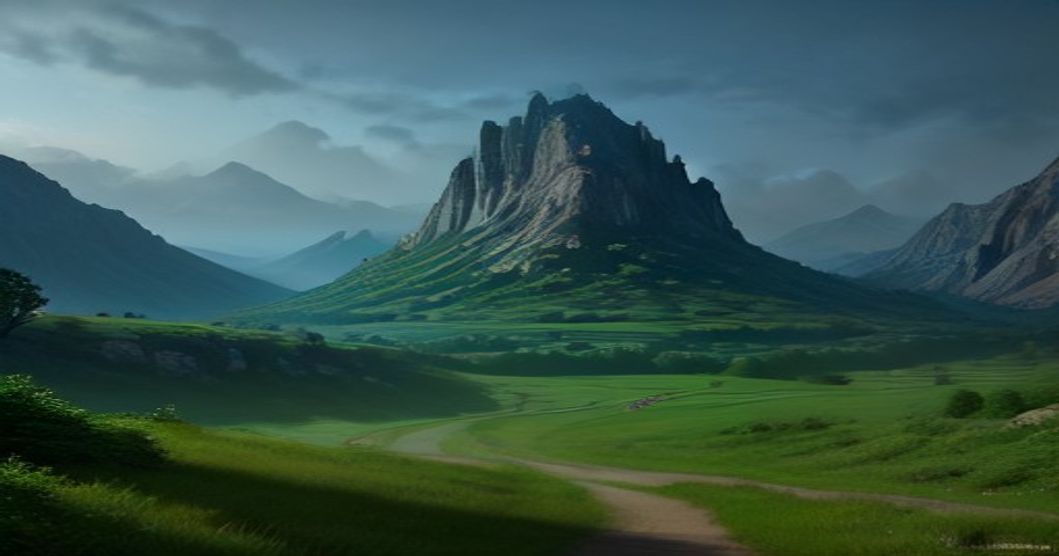
AI for Storyboarding and Asset Generation
Before diving into video generation, many creators are finding value in using AI for pre-production tasks. Storyboarding is a prime candidate. AI tools can rapidly generate visual concepts for scenes, characters, and props based on textual descriptions. This is particularly useful for establishing the core visual language of a project. For a medieval fantasy film, this means defining character designs (e.g., specific armor, robes, hairstyles), architectural styles for castles or villages, and the general mood and color palette of the environment. Iterating on these storyboards with AI can help solidify the vision before committing to video generation.
The benefit of AI-assisted storyboarding extends to maintaining character and style consistency. By using the same character prompts, or even image-to-image generation based on a consistent character design, creators can ensure that the same individuals appear across different scenes, wearing the same outfits and maintaining their physical attributes. This is a critical step in mitigating the inherent variability of AI video generation. Similarly, defining location styles early on helps anchor the visual world.
Beyond storyboards, AI can also assist in generating specific assets. This might include textures for armor, unique prop designs, or even background elements. While the final video might be pieced together from many generated clips, having a library of consistent, high-quality assets can significantly enhance the overall production value and reduce the burden on the video generation process itself.
Comparing Key AI Video Generation Tools: Runway and DomoAI
When it comes to AI video generation, Runway and DomoAI are frequently cited as leading contenders. Both offer distinct strengths and workflows that cater to different aspects of video creation.
Runway
Runway (specifically its Gen-2 model) is known for its robust text-to-video and image-to-video capabilities. It allows users to generate short video clips from text prompts or by providing an initial image as a reference. Runway's strength lies in its accessibility and relatively straightforward interface, making it a good entry point for many creators. It excels at generating dynamic, often artistic clips that can serve as building blocks for a larger narrative. However, maintaining strict consistency across multiple generations can still be a hurdle. Users often find themselves needing to carefully craft prompts and potentially use techniques like inpainting or image-to-image generation on subsequent clips to guide the AI towards desired continuity.
DomoAI
DomoAI presents an interesting, integrated approach, as noted by the user. Its proposition of combining text/image-to-video, animation, style transfer, and upscaling within a single workflow is particularly attractive for projects requiring a unified aesthetic. The integrated style transfer feature is crucial for achieving a specific look, such as the desired medieval/fantasy aesthetic. By applying a consistent style across generated clips, DomoAI aims to simplify the process of maintaining visual coherence. The text-to-video and animation features allow for creating motion from static concepts, while upscaling can improve the final resolution and detail of the generated footage.
The advantage of a unified workflow like DomoAI's is that it potentially reduces the need to shuttle assets between different tools, thereby minimizing opportunities for stylistic drift. If the style transfer model is robust and consistently applied, it can be a powerful tool for ensuring that all generated clips feel like they belong to the same film. However, the effectiveness of such integrated systems often depends on the underlying models and how well they are trained to work together.
The Workflow Challenge: Stitching Scenes Together
Regardless of the chosen tools, the practical workflow for creating a 4-minute short film involves a significant amount of manual effort and post-production. The process typically looks like this:
- Concept & Storyboarding: Define the narrative, characters, and visual style. Use AI to generate storyboards and character designs.
- Scene Generation: Break the film into individual scenes or shots. For each shot, use AI video generation tools (like Runway or DomoAI) with precise prompts, potentially referencing previous outputs or keyframes for consistency.
- Consistency Management: This is the most critical step. If a character appears in multiple shots, ensure their appearance, clothing, and even subtle movements are consistent. This might involve re-generating shots multiple times, using image-to-image techniques, or even manual editing in post-production.
- Style Application: Ensure a uniform artistic style across all generated clips. Tools with integrated style transfer (like DomoAI) can be beneficial here.
- Editing and Stitching: Assemble the generated clips in a video editing software. This is where transitions are smoothed, pacing is adjusted, and any minor inconsistencies are addressed through color grading, masking, or other post-production techniques.
- Sound Design and Music: Add dialogue, sound effects, and a musical score to bring the film to life.
The question of whether anyone has successfully created several minutes of continuous AI video this way is met with a resounding