The AI Support Email Pipeline: Architecture and Workflow
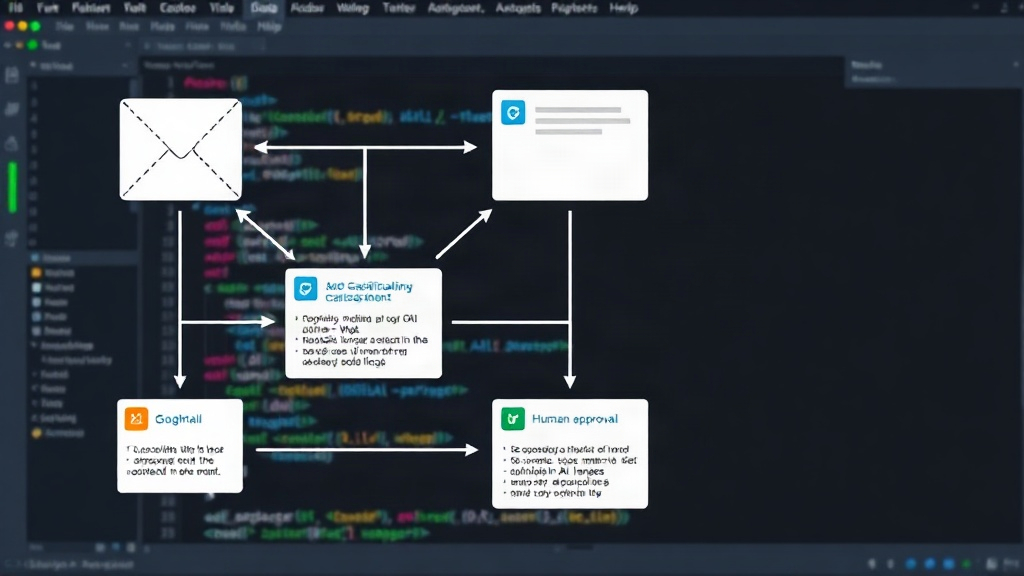
Running a one-person dev shop often means juggling customer support alongside development. A common pain point for small business owners is the sheer volume of repetitive customer support emails. To tackle this, a solo developer built a pipeline that leverages AI to draft responses, aiming to significantly cut down on manual effort. The system integrates with Gmail, uses an AI model for classification and drafting, and notifies the human operator via Slack for approval or editing before sending.
The end-to-end pipeline begins with pulling unread messages from Gmail using the Gmail API. The core logic then focuses on extracting the email body, a process that requires careful handling of various MIME types like multipart/alternative, nested parts, and HTML fallbacks. This initial step is more complex than it appears, as email structures can vary wildly.
Once the email body is parsed, it's fed into an AI model, specifically Claude API, for classification. The AI determines the intent of the email. If it's a common query that can be automated, the model proceeds to draft a reply. This drafted response, along with the original email, is then sent to a Slack channel. The human operator reviews the draft, makes any necessary edits, and then approves it for sending. This human-in-the-loop approach ensures accuracy and maintains a personal touch while still automating the bulk of the work.
Unexpected Bugs in AI-Powered Support
Automating customer support with AI is not without its challenges. Three specific bugs emerged during development that highlight the subtle complexities of this type of system:
- The "Reply-To" Header Bug: When drafting a reply, the system needs to correctly set the
Reply-Toheader. Initially, the AI would simply append the new response to the thread. However, it failed to properly update or preserve the originalReply-Toheader, meaning replies sometimes went to the wrong address or the original sender's address was lost, breaking the communication chain. This required custom logic to parse the original headers and construct the new email correctly. - Context Window Limitations: Claude's context window, while generous, is not infinite. For long email threads, the AI could lose track of earlier parts of the conversation. This led to drafted replies that were contextually irrelevant or ignored crucial details from earlier messages. Managing the conversation history and ensuring the AI always had the most pertinent information within its context window became critical. This often involved summarizing older parts of the thread or prioritizing recent messages.
- Classification Drift: Over time, the AI's classification accuracy began to drift. Initially, it was highly effective at categorizing common questions. However, as new types of queries or slightly rephrased common questions emerged, the classifier started misinterpreting them, leading to incorrect drafts or missed automation opportunities. Retraining or fine-tuning the classification model periodically, or implementing a feedback loop where misclassifications are used for retraining, proved necessary to maintain performance.
The Math of AI Support: Cost vs. Time Savings
The claim that AI saves time is pervasive, but quantifying it is essential for small businesses. This pipeline's cost-benefit analysis involves two main components: the operational cost of running the AI and the value of the human time saved.
Operational Costs:
- Claude API Costs: The primary expense is the API calls to Claude. For a given volume of emails, this cost depends on the token usage for both input (parsing and context) and output (drafting). If the average email requires 2000 tokens for processing and drafting, and Claude costs $0.01 per 1000 tokens, each email costs approximately $0.02.
- Gmail API Costs: While the Gmail API has free tiers, heavy usage can incur costs. For a small operation, this is often negligible but should be monitored.
- Other Infrastructure: Hosting the pipeline logic (e.g., on a small server or serverless function) adds a minor cost, likely under $10-$20 per month for typical small business volumes.
Time Savings:
- Manual Reply Time: A human spending 5 minutes per email, 20 emails per day, equates to 100 minutes (1.67 hours) per day. At a loaded hourly rate of $50, this is $83.50 per day, or approximately $1670 per month for this specific task.
- AI-Assisted Time: With the AI drafting replies, the human review and edit time might drop to 1 minute per email. For 20 emails, this is 20 minutes per day.
The Calculation:
Let's assume 600 emails per month (20 per day for 30 days).
- AI Operational Cost: 600 emails * $0.02/email = $12 per month.
- Human Time Saved: (5 minutes - 1 minute) * 600 emails = 2400 minutes = 40 hours saved per month.
- Monetary Value of Time Saved: 40 hours * $50/hour = $2000 per month.
The net saving is $2000 (time saved) - $12 (AI cost) = $1988 per month. This calculation clearly shows a significant ROI, even with the AI costs and the need for human oversight. The key is that the AI handles the repetitive cognitive load, freeing up human capacity for more complex tasks or strategic work.
Conclusion: When AI for Support Makes Sense
Building an AI pipeline to draft support emails is more than just a technical exercise; it's a strategic decision for small businesses. The architecture, while seemingly straightforward, involves non-trivial challenges like email parsing and managing AI context. The bugs encountered highlight that robust error handling and continuous monitoring are essential. However, the math demonstrates a compelling case for automation. When repetitive tasks consume significant human hours, even a moderately complex AI pipeline, coupled with human oversight, can yield substantial cost savings and efficiency gains. The critical factor is identifying the right balance between automation and human judgment.