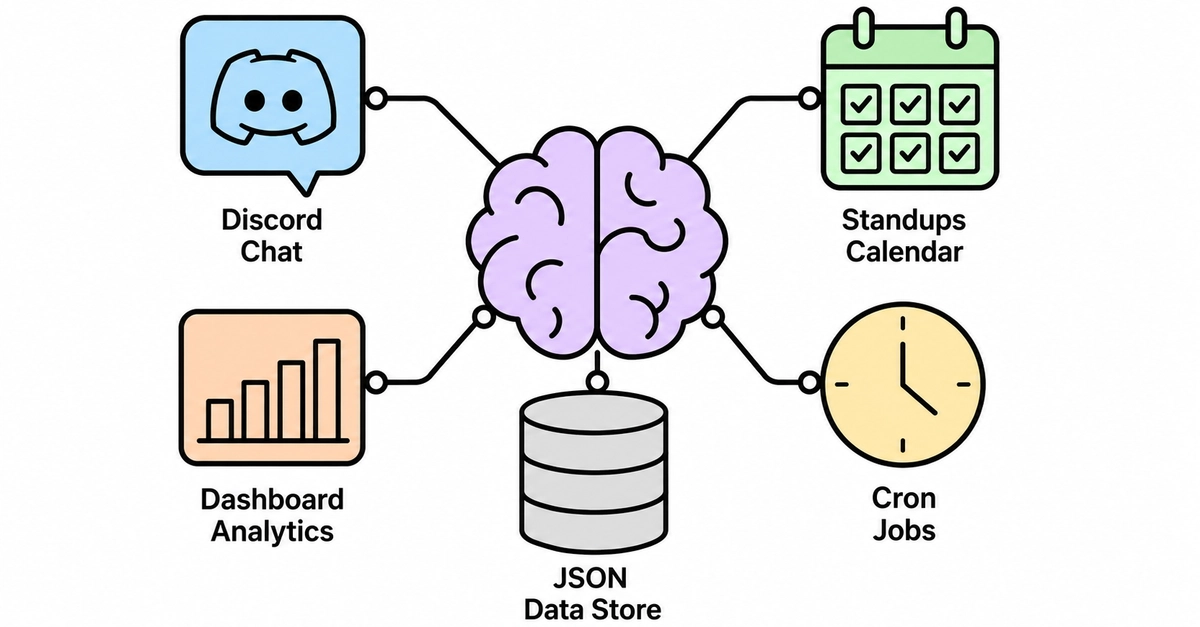
The Rise of the AI Company Brain
Imagine an AI agent that lives directly within your team's chat interface, diligently running daily stand-ups, meticulously tracking progress toward your most critical goals, and automatically generating comprehensive reports. This isn't a far-off future concept; it's the reality of an AI company brain, a dedicated agent instance designed to streamline operations. Sanjay Shankar, founder of a startup that built such an agent named Dojo, has open-sourced the entire kit, providing a blueprint for teams looking to automate their internal processes.
The inspiration for Dojo stems from Antiwork's Gumclaw, an agent that now handles significant portions of Gumroad's support and operations. Shankar's realization was simple yet profound: if an agent can manage a company's day-to-day functions, it can certainly manage essential team rituals like stand-ups. Dojo represents a practical application of this concept, aiming to reduce the overhead of scattered team operations and bring efficiency through automation.
The Problem: Scattered Team Operations
Before Dojo, Shankar's founding team, like many early-stage startups, managed their operations in a fragmented manner. Daily stand-ups were often ad-hoc, occurring in a single channel without a consistent structure or timing. Go-to-market (GTM) progress was tracked in spreadsheets, which frequently became outdated or incomplete due to the manual effort required for updates. Compiling weekly reports was a time-consuming task, often taking an hour or more to gather and synthesize information from disparate sources. This scattered approach not only consumed valuable time but also led to a lack of clear visibility into team progress and potential roadblocks.
Dojo: Architecture and Core Components
Dojo is built with a modular architecture to handle various operational tasks. At its core, it functions as an agent that integrates with your team's communication platform, typically Slack or a similar service. The agent is designed to be proactive, initiating conversations and collecting information rather than passively waiting for input.
Key components include:
- Goal Tracking Module: This module allows teams to define and update key objectives. The AI agent periodically checks in with team members to get updates on their assigned tasks related to these goals.
- Stand-up Module: The agent initiates daily stand-up prompts, asking team members for their progress, any blockers they are facing, and their plans for the day. It aggregates these responses into a concise summary.
- Reporting Module: Based on the tracked goal progress and stand-up updates, this module automatically generates weekly or bi-weekly reports, providing leadership with a clear overview of team performance and project status.
- Integration Layer: This handles communication with the chat platform and potentially other tools like project management software or issue trackers.
The surprising detail here is not the complexity of the AI itself, but the pragmatic focus on automating existing, often tedious, human-led processes. Dojo doesn't aim to replace human decision-making but to offload the administrative burden, allowing teams to focus on strategic execution.
Step-by-Step Setup and Deployment
Setting up Dojo involves a series of straightforward steps, making it accessible even for teams without deep AI expertise. The open-sourced nature of the kit means teams can inspect, modify, and deploy it according to their specific needs.
Step 1: Environment Setup
This involves setting up the necessary software environment, including Python, relevant libraries, and potentially a virtual environment to manage dependencies. It also requires obtaining API keys for any services the agent will interact with, such as the chat platform API and potentially an LLM provider API if advanced natural language processing is required.
Step 2: Configuration
Dojo's configuration is managed through a central file (e.g., a YAML or JSON file). Here, you define your team's goals, assign tasks, set up the schedule for stand-ups and reports, and specify the chat channels for communication. This step is crucial for tailoring the agent's behavior to your team's workflow.
Step 3: Connecting to Chat Platform
This involves authenticating Dojo with your team's chat service (e.g., Slack). This typically requires creating a bot user or application within the platform and providing the necessary API tokens to Dojo. Permissions must be granted for the bot to read messages, post messages, and potentially interact with other platform features.
Step 4: Defining Goals and Tasks
Within the Dojo interface or configuration, teams define their overarching objectives. For each goal, specific tasks are outlined, and these tasks are then assigned to individual team members. This structured approach ensures that progress is quantifiable and directly linked to strategic aims.
Step 5: Running and Monitoring
Once configured and connected, Dojo can be started. The agent will then begin its scheduled activities: prompting for stand-ups, collecting updates, and processing them. Monitoring involves observing the agent's activity, ensuring it's functioning as expected, and reviewing the generated reports for insights.
Cost and Resource Considerations
A significant advantage of Dojo is its cost-effectiveness. The open-source nature of the core agent means there are no licensing fees. The primary costs are associated with the infrastructure required to run the agent (e.g., a small server or cloud instance) and potentially API usage fees if an external Large Language Model (LLM) service is integrated for more sophisticated natural language understanding or generation. For many basic operations, a locally hosted or minimally provisioned cloud instance can suffice, keeping operational costs very low.
The Future of AI in Team Operations
Dojo represents a tangible step towards more autonomous and efficient team operations. As AI capabilities advance, we can expect these agents to become more sophisticated, capable of handling a wider range of tasks, from project management to resource allocation. The question for many teams now is not *if* they should adopt such tools, but *when* and how to best integrate them into their existing workflows without disrupting productivity. The open-source availability of Dojo democratizes access to this powerful operational paradigm, enabling startups and established teams alike to build their own AI company brain.
If you run a team that currently spends hours compiling reports or managing scattered stand-ups, consider how an agent like Dojo could reclaim that time. The initial setup requires an investment, but the ongoing savings in human hours and improved operational clarity offer a compelling return.