The Cross-Tool AI Configuration Conundrum
Development teams adopting AI coding assistants face a growing fragmentation problem. While tools like Cursor, Claude Code, and GitHub Copilot offer powerful code generation and assistance, each manages its configuration and custom standards in isolation. This means a set of AI coding standards meticulously crafted for one environment—say, Cursor on Windows—becomes effectively useless when a team member switches to Claude Code on macOS, or uses Copilot within VS Code. Part 1 of this series established the need for versioning AI standards as code. Version 0.2 of the agent-standards-kit addresses the critical portability issue, ensuring that a unified set of AI coding guidelines can function consistently across disparate tools and operating systems.
The core of the problem lies in how each tool ingests configuration. Cursor, for instance, might rely on a specific file structure or local directory. Claude Code could have its own unique API or configuration file format. Copilot, integrated within VS Code, leverages VS Code’s extensive settings infrastructure. This divergence means that simply having a Git repository of standards isn't enough; the standards must be translated or adapted for each specific tool and platform. Without a standardized approach, maintaining consistent AI-assisted coding practices across a team becomes an administrative nightmare, hindering productivity and potentially introducing inconsistencies in code quality and style.
Standardizing Configuration Formats
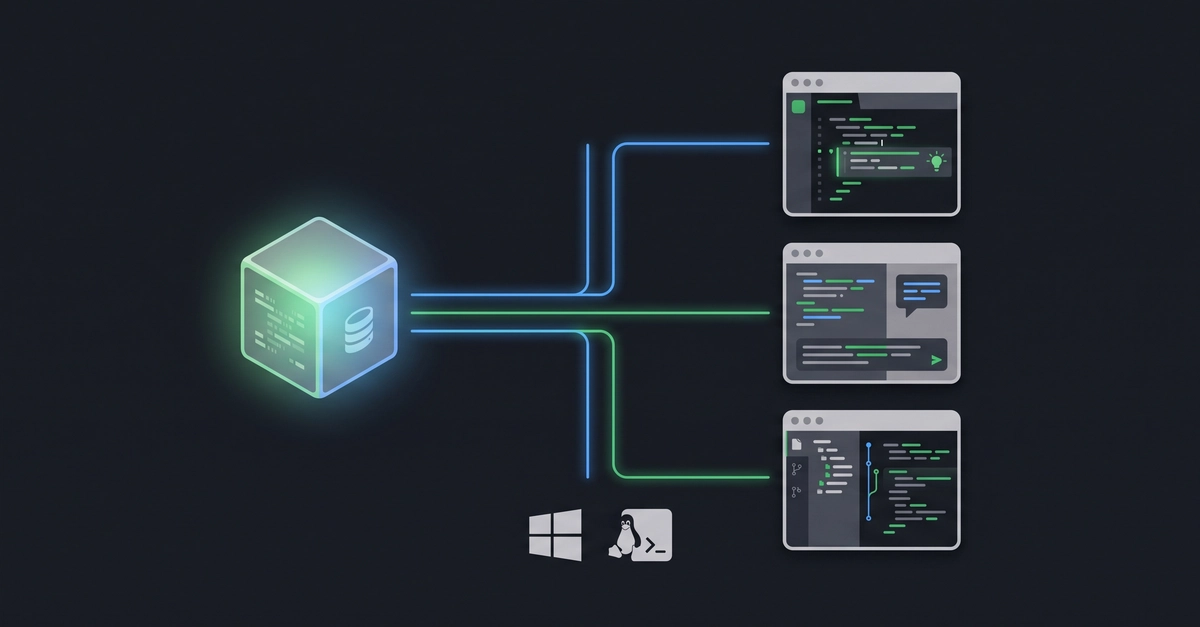
The agent-standards-kit, now at version 0.2, introduces a unified schema for defining AI coding standards. This schema acts as a universal language that can be translated into the specific formats required by individual AI coding tools. The goal is not to replace the native configuration mechanisms of these tools, but to provide a single source of truth that can generate the necessary configuration files or API calls for each.
For Cursor, this might involve generating a .cursor/config.json file or a specific set of prompts that Cursor’s integrated AI can understand. For Claude Code, it could mean generating a configuration file that Claude’s API expects, or setting up environment variables that influence its behavior. In the case of Copilot within VS Code, the kit would generate or modify VS Code’s settings.json to enforce specific AI-driven coding practices. The key innovation is the abstraction layer provided by the kit, allowing developers to manage their AI standards in one place, using a consistent format, and then deploying them to multiple environments.
Cross-Platform Deployment Strategies
Beyond tool-specific formats, operating system differences add another layer of complexity. File paths, environment variables, and even shell commands can vary significantly between Windows, macOS, and Linux. The agent-standards-kit v0.2 tackles this by employing platform-agnostic scripting and configuration generation. It uses tools and techniques that abstract away OS-level differences, ensuring that the generated configurations are valid regardless of the developer’s operating system.
For example, a script within the kit might detect the target OS and then generate the appropriate configuration file or command sequence. This could involve using cross-platform scripting languages like Python or Node.js, or leveraging build tools that can output platform-specific artifacts. The aim is to automate the process entirely. A developer should be able to clone the repository, run a single command, and have their AI coding standards correctly applied to all supported tools on their machine, irrespective of whether they are running Windows, macOS, or Linux.

The `agent-standards-kit` v0.2 in Practice
The agent-standards-kit repository, pinned at v0.2, contains the necessary code and documentation to implement this cross-tool, cross-platform standardization. It provides a set of example configurations and scripts that demonstrate how to adapt the universal schema to specific tools. Developers can fork this repository and customize it to their team's specific needs, defining everything from preferred code formatting for AI-generated suggestions to specific security best practices that AI assistants should adhere to.
The process typically involves defining standards in a human-readable format, such as YAML or JSON, within the kit’s repository. Then, a generation script processes these definitions and outputs the tool-specific configuration files. For instance, a rule like "prefer-async-await": true in the universal schema could be translated into a specific setting for Copilot, a prompt modification for Claude Code, and a configuration option within Cursor. This ensures that the AI's suggestions align with team-wide coding conventions, regardless of which assistant is being used.
What This Means for Development Teams
The implications for development teams are significant. Firstly, it democratizes the use of AI coding assistants by removing the barrier of incompatible configurations. Teams can invest in developing robust AI coding standards without worrying that these standards will be siloed within a single tool or operating system. This fosters consistency, improves code quality, and enhances developer productivity across the board.
Secondly, it encourages a more strategic approach to AI adoption. Instead of haphazardly adopting different AI tools, teams can now focus on defining their core AI coding principles and then applying them consistently. This allows for easier evaluation of different AI assistants, as the baseline for AI-assisted coding quality remains constant. The agent-standards-kit provides the foundation for treating AI standards with the same rigor as infrastructure-as-code or policy-as-code, making AI integration more manageable and scalable for organizations.
The Unanswered Question: AI Standard Evolution
While this solution brilliantly tackles the portability and consistency problem, what remains to be seen is how the agent-standards-kit will evolve as AI coding assistants themselves become more sophisticated. As tools gain deeper understanding of context and offer more advanced customization options, will this single-schema approach remain flexible enough? The real test will be its ability to adapt to future AI capabilities without requiring a complete overhaul of the standardization process.