Introduction
The free application AI Avatar, designed to bring your VRoid (VRM) avatar to life within your development environment, has released version 20. This update introduces several new features, including a Voxel Avatar mode, a Kaleidoscope effect, a Cursor Avatar, and a Notification Avatar. These additions aim to enhance the developer experience by providing visual feedback and interactive elements directly within VS Code and browser side panels. The core functionality of AI Avatar v20 allows your digital persona to react to coding assistants like Claude Code, GitHub Copilot, ChatGPT, and Claude, all without requiring live AI processing for its animations and speech bubbles.
The update focuses on four primary areas:
- Voxel Avatar
- Kaleidoscope
- Cursor Avatar
- Notification Avatar
Voxel Avatar Mode
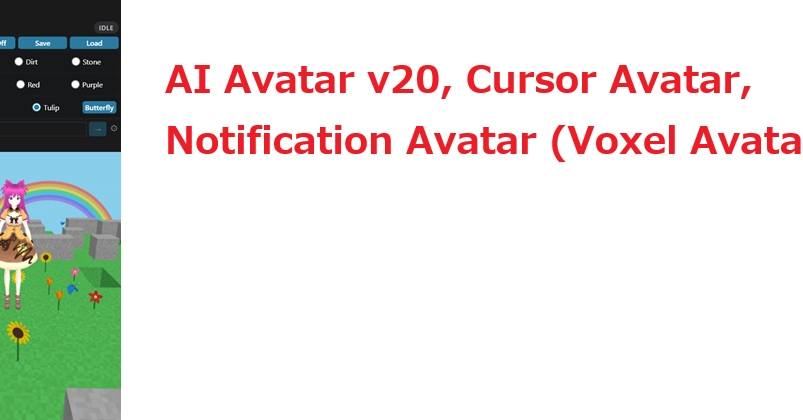
A significant new addition is the Voxel Avatar mode, inspired by a collaborator's request for an idle game experience. The concept aligns with AI Avatar's existing triggers, which can be activated by events like Claude Code usage or simple clicks, thus fitting the automatic progression characteristic of idle games. For this mode, the development team chose a flower gardening theme. This choice was influenced by a friend from the DEV Community who suggested it. The Voxel Avatar mode is envisioned as a way for the VRM avatar to engage in a continuous, automated activity, providing a subtle, ambient presence for the developer. This feature moves beyond reactive animations to offer a persistent, self-sustaining interaction within the development workspace.
The idle game mechanic is designed to run automatically, requiring minimal input from the user once initiated. This allows the avatar to perform its gardening tasks, perhaps tending to virtual plants or engaging in other automated activities, creating a dynamic visual element that evolves over time. The integration of this idle game mode aims to make the avatar more than just a reactive entity; it becomes a persistent companion within the developer's workflow, offering a novel way to interact with one's digital persona.
Kaleidoscope Effect
The Kaleidoscope feature introduces a visual flair to the AI Avatar. This effect transforms the avatar's appearance or its surrounding display into a dynamic, symmetrical pattern reminiscent of a kaleidoscope. This is primarily a cosmetic enhancement designed to add visual interest and dynamism to the avatar's presence. While not directly tied to coding assistance or user interaction, the Kaleidoscope effect serves to make the avatar more engaging and visually appealing. It operates independently of the avatar's primary reactions, offering a unique way to customize the visual output and create a more personalized development environment. The implementation of such visual effects taps into the growing trend of personalization in software interfaces, aiming to make the often-monochromatic world of coding more vibrant.
Cursor Avatar
The Cursor Avatar feature introduces a novel way for the VRM avatar to interact with the user's input. Instead of the avatar being confined to a sidebar or panel, this new mode allows the avatar to dynamically follow the user's cursor across the screen. This creates a more integrated and responsive experience, as the avatar's position directly mirrors the user's focus. When the cursor moves, the avatar moves with it, offering a sense of direct engagement. This feature is particularly useful for drawing attention to specific areas of the screen or simply providing a more playful and interactive element to the user interface. The Cursor Avatar can be configured to maintain a certain distance from the cursor or adopt different poses as it moves, further enhancing its responsiveness and visual appeal. This innovation blurs the lines between the avatar and the user's direct interaction with the software, making the digital companion feel more present and connected to the user's actions.
Notification Avatar
The Notification Avatar feature integrates the VRM avatar directly into the notification system of the development environment. Instead of generic system alerts, developers can now receive notifications delivered by their avatar. This could manifest as the avatar displaying a speech bubble with the notification content, performing a specific animation to convey urgency or importance, or even changing its expression to match the tone of the alert. This approach aims to make system notifications more engaging and less intrusive. By personalizing alerts through the avatar, developers can potentially improve their response to critical information and reduce notification fatigue. The feature is designed to work with both VS Code and browser-based notifications, ensuring a consistent experience across different platforms. This integration turns mundane alerts into opportunities for character interaction, making the development process feel more dynamic and less sterile.
The specific animations and speech bubble content for notifications can be customized, allowing developers to tailor the avatar's responses to their preferences. For instance, a critical error might trigger a panicked animation, while a successful build could be met with a celebratory gesture. This level of customization ensures that the Notification Avatar serves not only as an information delivery system but also as an extension of the user's digital persona, reacting to events within the development workflow in a personalized manner.
The AI Avatar v20 represents a significant step in making development tools more engaging and personalized. By integrating animated VRM characters with coding assistants and user inputs, the application offers a unique blend of productivity enhancement and interactive entertainment.