The AI-Assisted Development Workflow
The advent of AI-powered coding assistants has dramatically lowered the barrier to entry for software development. Gone are the days when building an application from scratch demanded extensive, specialized knowledge. Now, a developer can describe their desired functionality, iterate on the AI's output, and arrive at a working prototype with unprecedented speed. This paradigm shift, often termed "vibe coding," allows for rapid iteration and quick realization of initial ideas. The process is intuitive: articulate your vision, evaluate the AI's rendition, and refine through further prompts until the application behaves as intended. This approach democratizes app creation, enabling individuals and small teams to bring complex ideas to life without the traditional steep learning curve.
However, this accelerated development cycle introduces a critical, often overlooked, challenge: ensuring the application functions reliably once it moves beyond the developer's immediate control and into the hands of actual users. The transition from a controlled, personal testing environment to a dynamic, real-world deployment exposes applications to a myriad of conditions and user behaviors that are impossible to fully replicate during initial development.
Beyond Personal Testing: The Gap in User Experience
While thorough personal testing is a fundamental step in the development process, it inherently has limitations. Developers can sign up, submit forms, save data, and navigate core workflows within their own controlled environment. This process validates the application's basic functionality and ensures it performs as expected under ideal conditions. Yet, the reality of user interaction is far more complex and unpredictable. Users may encounter edge cases not considered during development, such as submitting empty fields, attempting to access non-existent records, or triggering operations that take significantly longer than anticipated during testing.
The phrase "It worked when I tested it" becomes a common, albeit insufficient, refrain. User-reported issues, while valuable, are often reactive and may lack the precise technical details needed for swift diagnosis. A user might simply state that the app is "slow" or "broken," leaving the developer to reverse-engineer the problem without concrete data on when, where, or how the issue occurred. This is where the disciplines of monitoring and telemetry become indispensable. They provide the essential visibility into an application's behavior in production, offering empirical evidence to diagnose and resolve issues that personal testing simply cannot uncover.
Introducing Monitoring and Telemetry
Monitoring and telemetry are not merely afterthoughts; they are integral components of a robust software development lifecycle, especially when leveraging AI for rapid prototyping. Monitoring involves observing an application's performance, availability, and resource utilization in real-time. Telemetry, on the other hand, refers to the collection of data (logs, metrics, traces) generated by the application as it runs. Together, they form a powerful feedback loop, providing developers with the insights needed to maintain application health and user satisfaction.
Think of it less like a security camera and more like a doctor's diagnostic tools for your application. When a patient feels unwell, a doctor uses tools like X-rays, blood tests, and EKGs to understand the underlying cause. Similarly, monitoring and telemetry tools provide the data necessary to pinpoint why an application might be performing poorly or failing for users. This data is crucial for identifying performance bottlenecks, detecting errors, understanding resource consumption, and even uncovering security vulnerabilities.
Key Components of Application Monitoring
Effective application monitoring typically encompasses several key areas:
Performance Monitoring
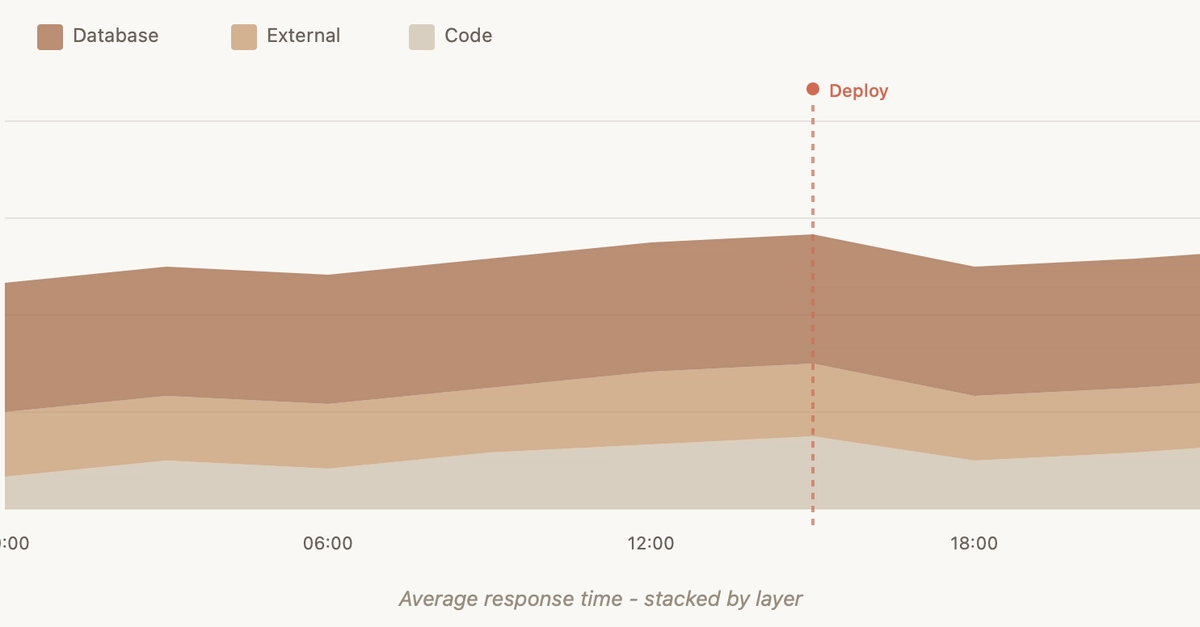
This involves tracking metrics such as response times, throughput, and latency. Understanding how quickly your application responds to user requests is critical. Slow response times can lead to user frustration and abandonment, even if the application is functionally correct. Performance monitoring helps identify specific operations or components that are causing delays.
Error Tracking
When errors occur, it's vital to capture them with as much detail as possible. Error tracking systems log exceptions, stack traces, and contextual information (like user IDs or request parameters) that help developers understand the root cause of failures. This goes beyond simply knowing an error happened; it provides the evidence to fix it.
Availability Monitoring
This ensures that your application is accessible and operational for users. Synthetic monitoring can simulate user interactions from various geographic locations to proactively detect downtime or performance degradation before users are impacted. Uptime checks are the most basic form, confirming that the application's endpoints are reachable.
Resource Utilization
Applications consume resources such as CPU, memory, and network bandwidth. Monitoring these resources helps identify potential issues like memory leaks or inefficient code that could lead to performance problems or crashes. It also aids in capacity planning and cost optimization.
Leveraging Telemetry for AI-Driven Improvement
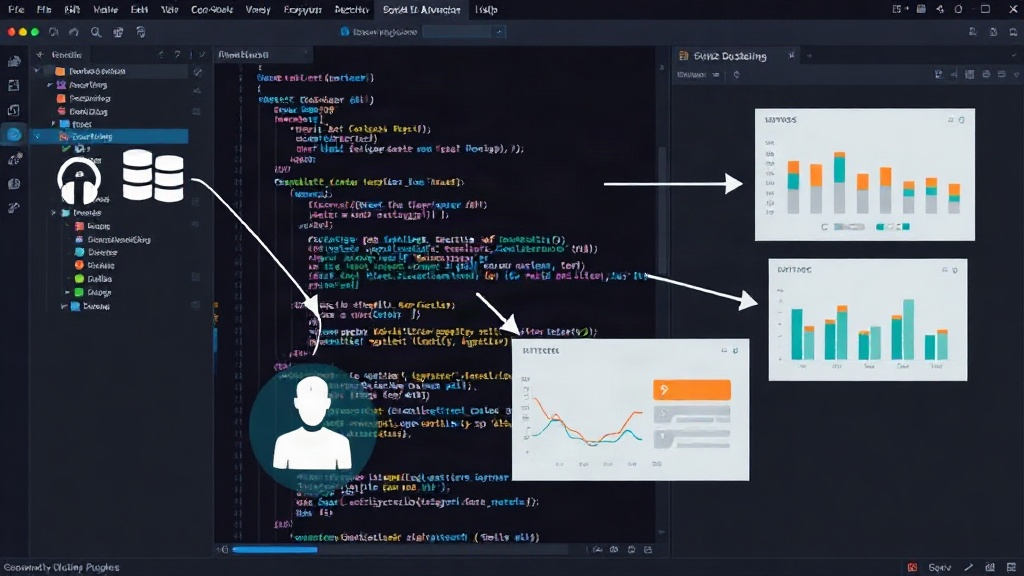
The data collected through monitoring and telemetry is invaluable for continued AI-assisted development. When users report issues, or when monitoring systems flag anomalies, this data provides concrete evidence for the AI to learn from. Instead of relying on abstract descriptions, developers can feed specific error logs, performance metrics, or user interaction patterns directly back into the AI development loop.
For instance, if telemetry data shows a particular API endpoint is consistently slow under load, a developer can present this data to the AI and ask for optimizations. If error logs reveal a recurring bug related to specific user inputs, that pattern can be used to refine the AI's understanding of valid input ranges or error handling logic. This creates a virtuous cycle: AI builds the app, monitoring reveals its real-world performance, and that performance data informs further AI-driven improvements.
The Unanswered Question: Cultural Integration
What remains to be seen is how effectively development teams will integrate monitoring and telemetry as a core practice, rather than an optional add-on, within AI-driven workflows. The ease of AI generation might tempt teams to deprioritize the often more complex and ongoing work of robust observability. Will the culture shift to embrace data-driven insights from the outset, or will the allure of rapid AI-powered creation lead to a new generation of brittle, unmonitored applications?
The success of AI-assisted development in the long term hinges not just on the ability to build applications quickly, but on the ability to maintain them effectively. Monitoring and telemetry are the essential tools that bridge the gap between a working prototype and a reliable, user-centric product. They provide the necessary evidence to ensure that the applications built with the speed of AI can also endure the realities of production, delivering value to users consistently.