Beyond Off-the-Shelf: The Case for Custom AI in WordPress

The era of static websites is over. Today, platforms like WordPress, augmented by custom artificial intelligence capabilities, are transforming into intelligent, automated, and interactive assistants. Many perceive AI integration in WordPress solely through the lens of readily available content generation plugins or basic chatbots. However, the true transformative potential lies in developing bespoke AI tools meticulously tailored to a business's unique operational workflows and existing ecosystem. This approach moves past the limitations of one-size-fits-all solutions. Custom AI can address specific pain points, optimize niche processes, and unlock efficiencies not attainable with generic plugins. It requires a deeper understanding of the business's data, its user interactions, and its strategic objectives. The goal is not just to add AI features, but to weave AI intelligence into the very fabric of the WordPress site, making it a proactive and indispensable part of the business operations.

Real-World Challenges in Custom AI Integration

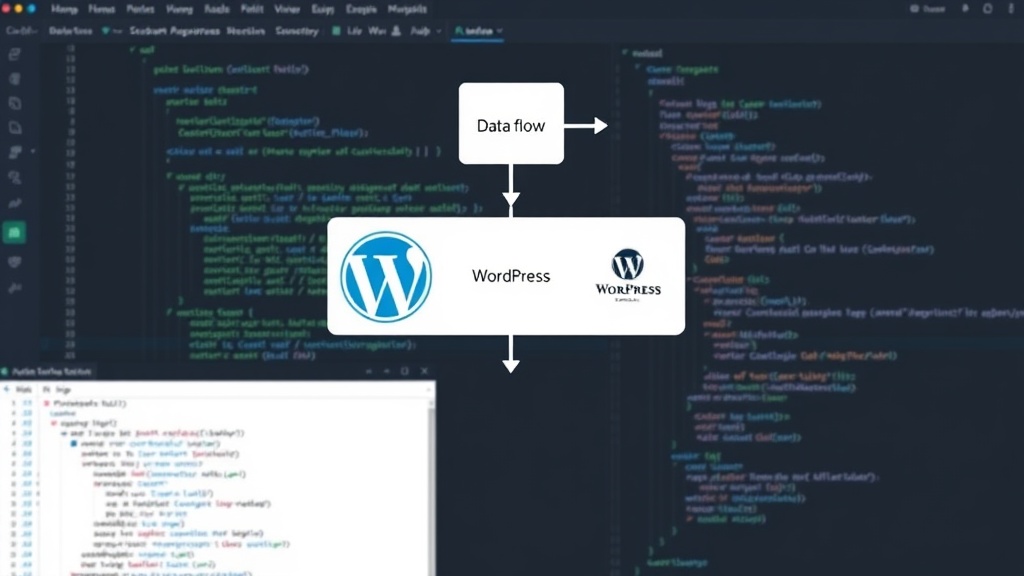
Developing and integrating custom AI tools for WordPress is not without its significant technical hurdles. One primary challenge is the inherent complexity of bridging the gap between AI models and the WordPress environment. AI models, often developed in Python using frameworks like TensorFlow or PyTorch, need to communicate effectively with PHP, the language powering WordPress. This communication layer requires robust API development. Whether building a custom REST API within WordPress or leveraging external AI services via their APIs, developers must ensure seamless data flow. Data synchronization is another critical concern. Maintaining consistency between data managed by the AI model and data stored within WordPress (e.g., user profiles, content databases) demands careful architectural planning. Ensuring that AI-generated insights or actions are accurately reflected in the WordPress backend, and vice-versa, is paramount. Security is also a major consideration. Custom AI integrations can introduce new attack vectors if not implemented with security best practices in mind. Protecting sensitive data processed by AI models and securing the communication channels between WordPress and AI services are non-negotiable. Furthermore, the computational demands of AI models can strain server resources. Hosting AI models directly on the same server as WordPress might be infeasible for complex models, necessitating the use of cloud-based AI services or dedicated AI infrastructure. This adds another layer of complexity in terms of cost, latency, and management.
Diagram illustrating data flow between WordPress and a custom AI model

Practical Workflows and Implementation Strategies

Several practical workflows can facilitate the integration of custom AI into WordPress. A common strategy involves developing AI models externally and then exposing them via APIs. These APIs can be RESTful services built using Python frameworks like Flask or FastAPI, or they could be managed cloud AI services from providers like AWS, Google Cloud, or Azure. Within WordPress, custom plugins can be developed to interact with these APIs. This plugin would handle user interface elements, data collection from WordPress, sending data to the AI API, processing the AI's response, and updating the WordPress site accordingly. For instance, a custom AI tool for personalized product recommendations might involve a WordPress plugin that collects user browsing history and preferences, sends this data to an external recommendation engine API, and then displays the personalized product list on the user's dashboard. Another workflow involves leveraging WordPress's hooks and filters to trigger AI processes. For example, when a new blog post is published, a WordPress hook could initiate an AI process to generate social media snippets or suggest relevant internal links. This requires careful management of asynchronous tasks to avoid blocking the WordPress request cycle. Using background job queues (like Redis Queue or WP-Cron with enhancements) is essential for handling these AI-driven operations without impacting website performance. For AI models that can be containerized, solutions like Docker can simplify deployment and management. A Dockerized AI model can run independently and communicate with WordPress, offering a more stable and scalable architecture. This approach decouples the AI processing from the WordPress hosting environment, allowing each component to be scaled and managed independently.

Architectural Considerations for Scalability and Performance

When designing an AI-integrated WordPress system, scalability and performance must be at the forefront. The architecture should anticipate growth in both website traffic and the complexity of AI tasks. Decoupling AI processing from the WordPress core is a key architectural principle. This means avoiding direct execution of heavy AI computations within the WordPress PHP environment. Instead, offloading these tasks to external services or dedicated microservices is crucial. This could involve using serverless functions (AWS Lambda, Google Cloud Functions) for event-driven AI tasks, or dedicated microservices for more continuous processing needs. Caching strategies are vital for performance. Caching AI responses for common queries or pre-computed results can significantly reduce latency and computational load. For example, if an AI generates a summary for a specific article, that summary can be cached and served directly without re-running the AI model every time the article is viewed. Database optimization is also critical. AI can generate large amounts of data. Ensuring that the WordPress database can efficiently store, retrieve, and manage this data, or that alternative data stores (like NoSQL databases or specialized vector databases for embeddings) are used appropriately, is essential for maintaining site responsiveness. Monitoring is another cornerstone of a robust architecture. Implementing comprehensive monitoring for both WordPress performance and AI service health, latency, and error rates allows for proactive identification and resolution of issues. This includes tracking API call success rates, model inference times, and resource utilization.

The Future: AI as an Integral WordPress Component

As AI technology matures, its integration with CMS platforms like WordPress will become more sophisticated and seamless. We are moving towards a future where AI is not an add-on but an intrinsic part of the content management and user engagement experience. This involves AI assisting in content creation, personalizing user journeys in real-time, automating administrative tasks, and providing deeper analytics and insights. The challenge for developers and businesses will be to navigate the technical complexities and architectural decisions required to harness this power effectively, moving beyond simple plugins to build truly intelligent digital experiences tailored to their specific needs.