The Problem: The Frantic Refresh Cycle
Anyone who has tried to book a specialist medical appointment knows the pain. It’s a race against time, a digital scramble where slots vanish in milliseconds. Traditional browser automation tools, often reliant on fragile CSS selectors, are ill-equipped to handle the dynamic, often clunky interfaces of hospital booking portals. These systems are rife with unexpected pop-ups and inconsistent UI elements, making them prone to breaking with the slightest change.
This frustration is precisely what led to the development of a new AI agent designed for intelligent task automation. Instead of simply mimicking user clicks, this agent leverages the power of Large Language Models (LLMs) and advanced browser automation to understand and navigate complex booking workflows. The goal is to move beyond brittle scripts and create a resilient system that can reason through the appointment-seeking process.
The Solution: Playwright and LLM Function Calling
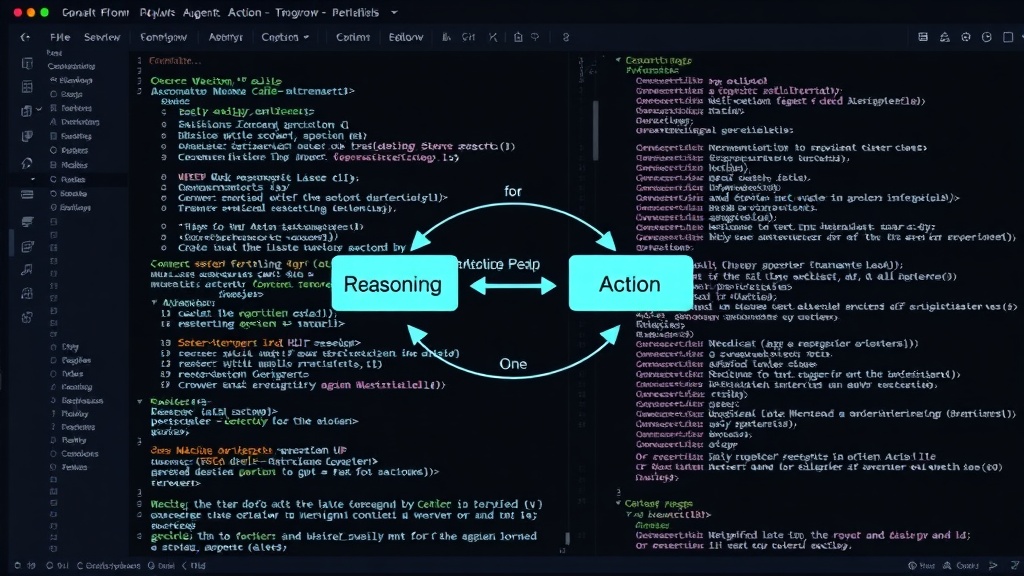
The core of this next-generation agent lies in the integration of Playwright Python for browser control and LLM Function Calling for intelligent decision-making. This combination creates a powerful Reasoning-Action loop, often referred to as ReAct.
Unlike traditional automation that might look for a specific button ID like submit-01, this AI agent uses LLM function calling to interact with the browser in a more abstract and robust way. The LLM doesn't just execute commands; it understands the intent behind the task. When presented with a webpage and a goal (e.g., 'find an available appointment for Dr. Smith next Tuesday'), the LLM can:
- Reason: Analyze the current page state and determine the next logical step.
- Act: Choose an appropriate function to interact with the browser. This could be navigating to a URL, clicking an element, filling a form, or extracting text.
- Observe: Receive feedback from the browser interaction (e.g., the text content of a button, the presence of a pop-up).
- Repeat: Use this observation to inform the next reasoning step, forming a continuous loop until the task is complete.
Playwright provides the essential tools for this loop. It can launch browsers, navigate pages, locate elements (even complex ones that might change frequently), interact with them, and extract information. Crucially, Playwright's ability to handle dynamic content and asynchronous operations makes it ideal for real-world web applications that are often not designed with automation in mind.
Building the Agent: Key Components
The development process involves several key components:
1. LLM Integration and Function Definitions
The first step is to define the set of tools or functions that the LLM can call. These functions represent actions the agent can perform in the browser. Examples include:
navigate_to_url(url: str): Directs the browser to a specified web address.click_element(selector: str): Clicks on a web element identified by a CSS selector or other locator strategy.fill_input(selector: str, value: str): Enters text into an input field.get_text(selector: str): Extracts the text content from an element.wait_for_element(selector: str, timeout: int = 30): Pauses execution until a specific element is present or visible.is_element_visible(selector: str): Checks if an element is currently displayed on the page.
These function definitions are provided to the LLM, allowing it to understand what actions are available and how to use them. The LLM’s role is to intelligently select the correct function and arguments based on the current context and the overall goal.
2. Playwright Automation Layer
This layer acts as the interface between the LLM's decisions and the actual browser manipulation. It contains the Python code that executes the Playwright commands. When the LLM decides to call, for instance, click_element('#book-appointment-button'), this layer receives that instruction and uses Playwright’s API to find and click the element with the ID book-appointment-button.
To handle the unpredictability of web interfaces, this layer needs to be robust. Instead of relying solely on brittle IDs, it can employ Playwright’s more advanced locators like text content, partial text, or even visual locators if necessary. Error handling is critical here; if an element isn't found, the Playwright layer should report this back to the LLM, allowing it to adapt its strategy.
3. The ReAct Loop Orchestration
The orchestrator ties everything together. It takes the user's initial request (e.g.,