
The Problem: Late FKs and Big Tables
Foreign keys are often an afterthought. Developers add them after a table has grown to millions of rows, only to discover that a simple ALTER TABLE ADD CONSTRAINT statement can lock the entire table for hours, or even days. This is unacceptable for most production systems. The common SQL statement looks like this:
ALTER TABLE order_items
  ADD CONSTRAINT order_items_order_id_fkey
  FOREIGN KEY (order_id) REFERENCES orders (id);
This command does two critical things:
- It records the constraint in the database schema. This part is usually very fast.
- It validates the constraint. This involves scanning every single row in the
order_itemstable and checking if eachorder_idvalue exists in theorderstable. This is the slow, locking part.
For small tables, this is fine. For tables with millions or billions of rows, the validation phase can take an unacceptably long time. During this validation, the database might acquire locks that prevent writes (and sometimes reads) to the affected tables, leading to significant downtime or performance degradation. The exact locking behavior depends on the specific database system (e.g., PostgreSQL, MySQL, SQL Server) and its configuration, but the core issue remains: validation requires a full table scan, which is inherently slow and resource-intensive.
The Solution: The "Not Validated" Approach
The key to avoiding downtime is to separate the creation of the constraint from its validation. Many modern database systems allow you to add a foreign key constraint in a way that it's initially created without immediate validation. This means the database will start enforcing the constraint for new writes, but it won't perform the expensive historical data check until you explicitly tell it to.
Here's a common strategy, often used with PostgreSQL, that breaks the process into multiple steps:
Step 1: Add the Constraint as "Not Validated" (or Deferrable)
The first step is to add the constraint to the schema without triggering the full table scan validation. In PostgreSQL, this is achieved using the NOT VALID clause. For other systems, the approach might differ (e.g., using deferred constraints or adding the constraint without checking, then enabling it later).
ALTER TABLE order_items
  ADD CONSTRAINT order_items_order_id_fkey
  FOREIGN KEY (order_id) REFERENCES orders (id) NOT VALID;
With this command, the foreign key constraint is added to the database's metadata. The database will now prevent any new rows from being inserted into order_items if their order_id does not exist in orders. It also prevents updates to order_items.order_id that would violate the constraint. Crucially, it does not scan the existing millions of rows. This operation is typically very fast and requires minimal locking, usually just an ACCESS EXCLUSIVE lock for a very short duration to modify the table's definition.
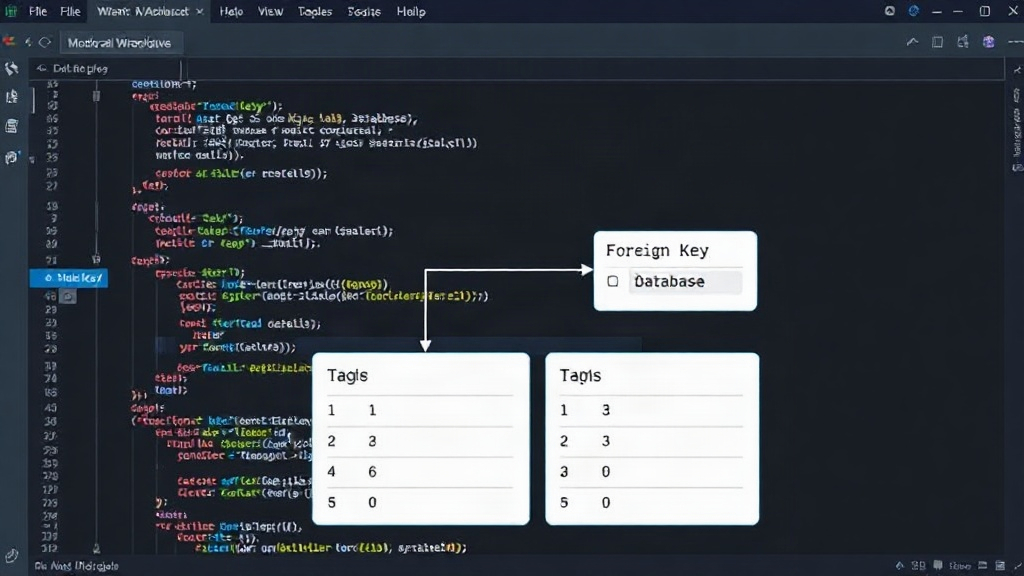
Step 2: Validate the Constraint in the Background
Once the constraint is added as NOT VALID, you can then trigger the validation process. The key here is to use a command that allows this validation to run in the background without blocking writes to the table. In PostgreSQL, this is done using the VALIDATE CONSTRAINT command.
ALTER TABLE order_items
  VALIDATE CONSTRAINT order_items_order_id_fkey;
This command initiates the scan of all existing rows in order_items to ensure they comply with the foreign key constraint. While this operation is still resource-intensive and will eventually require a brief lock at the end to finalize the constraint's state, it's designed to be much less disruptive than the initial ADD CONSTRAINT statement when validation is implicit. For instance, in PostgreSQL, this validation can often run with only a SHARE UPDATE EXCLUSIVE lock, which allows reads and writes to proceed. The actual blocking lock is typically only acquired for a very short period at the very end of the process, when the constraint is marked as fully valid.
The duration of this validation depends entirely on the number of rows in the table and the complexity of the lookup in the referenced table. For a table with millions of rows, it can still take a significant amount of time (minutes to hours). However, the critical difference is that your application can continue to serve traffic and process new transactions while the validation is running in the background.
Step 3: Handle Data Inconsistencies (If Any)
If the VALIDATE CONSTRAINT command fails, it means there are existing rows in order_items where the order_id does not exist in the orders table. The database will typically report which rows are violating the constraint. You then need to address these inconsistencies. This usually involves one of the following:
- Identify and Fix: Query the database to find the problematic rows. For example, in PostgreSQL, you might run:
SELECT * FROM order_items WHERE order_id NOT IN (SELECT id FROM orders);
- Correct the Data: Once identified, you can either:
- Insert the missing parent records into the
orderstable. - Update the
order_idin the offendingorder_itemsrows to point to valid existing orders. - Delete the offending
order_itemsrows if they are truly orphaned and not needed. - Re-run Validation: After cleaning up the data, re-run the
ALTER TABLE ... VALIDATE CONSTRAINTcommand.
It's a good practice to perform these data cleanup operations during a maintenance window or during off-peak hours if possible, to minimize any potential impact on users, even though the constraint is not yet fully enforced for historical data.
Database-Specific Considerations
While the general principle of deferring validation applies, the specific syntax and behavior can vary significantly between database systems:
- PostgreSQL: Uses
NOT VALIDandVALIDATE CONSTRAINT. This is one of the most robust implementations for online schema changes. - MySQL: Historically, adding foreign keys to large InnoDB tables involved a full table rebuild, which caused downtime. However, newer versions (MySQL 8.0+) have improved online DDL capabilities. For foreign keys, it often still involves locking, but the duration might be reduced. Some strategies involve disabling foreign key checks temporarily, adding the constraint, then re-enabling checks, but this carries risks. The
ALGORITHM=INPLACEandLOCK=NONEoptions can help, but their effectiveness for foreign keys on large tables can be limited. - SQL Server: Allows adding a constraint with the
WITH NOCHECKoption. This is similar to PostgreSQL'sNOT VALID. You can then enable the check later usingWITH CHECK. - Oracle: Supports deferred constraints. You can add a constraint and defer its checking until commit time.
Always consult the documentation for your specific database version to understand the precise behavior, locking mechanisms, and available options for online schema changes.
Alternative: Pre-creation and Data Migration
Another approach, particularly if your database system has poor online DDL support for constraints or if you need more control, is to pre-emptively manage the data integrity.
- Add a nullable column with the same name as the desired foreign key column (e.g.,
order_id_fk). - Migrate data: Write a script to populate this new column, ensuring it references valid parent records. This can be done in batches to avoid long-running transactions and to allow for retries.
- Run a final sync to catch any new or updated records during the migration.
- Add a unique index on the new column (if it's a many-to-one relationship, this is usually on the child table's ID, which is already there).
- Add the foreign key constraint referencing the new column. This should be very fast as it's just adding metadata.
- Switch application logic to use the new column for all writes and reads.
- Drop the old column and rename the new one.
This method is more involved but offers maximum control and can be adapted to almost any database system. It effectively shifts the data validation work from a database lock to a controlled application-level or batch process.
Conclusion
Adding foreign keys to large tables without causing downtime is achievable by carefully separating constraint creation from validation. Leveraging database features like NOT VALID or WITH NOCHECK, and understanding the background validation process, is crucial. Always test these procedures on a staging environment that mirrors your production data size and load before applying them to live systems. The goal is to ensure data integrity without sacrificing application availability.