Leveraging Model Context Protocol (MCP) Servers with Claude Desktop
Claude Desktop is a powerful tool for interacting with large language models, but its true potential unlocks when integrated with external data sources. The Model Context Protocol (MCP) provides a framework for exactly this kind of integration, allowing LLMs to access and process information beyond their immediate training data. This isn't about theoretical possibilities; it's about practical, daily utility. The following three MCP servers are not part of a hype cycle; they are actively running and proving their worth in real-world development workflows, significantly enhancing how Claude Desktop can be used.
These servers act as bridges, enabling Claude to understand and interact with your specific project environment, code repositories, and even your database schemas. This transforms Claude from a general-purpose chatbot into a context-aware assistant that can provide genuinely useful, project-specific insights.
1. Filesystem Server: Granting Claude Access to Your Projects
The most immediate and impactful MCP server for any developer is the Filesystem server. Its primary function is to allow Claude to read project files directly. This bypasses the tedious and error-prone process of manually copy-pasting code snippets or entire files into the chat interface. By configuring the Filesystem server to point at your project root, you enable Claude to understand the structure, dependencies, and content of your entire codebase.
This capability is transformative for code comprehension and debugging. Instead of asking Claude to analyze a single function you've pasted, you can ask it to examine complex modules or entire services. The server handles the underlying logistics of file access, presenting the relevant content to Claude in a way it can process effectively. This allows for more nuanced and comprehensive analysis, as Claude can see the code in its full context, including related files, configurations, and potentially even documentation embedded within the project.
Real usage example: Instead of pasting a few lines of code, you can prompt Claude with, "Read the `auth` module in my project and explain how the token validation logic works, referencing any helper functions it calls." This query leverages the Filesystem server to access the specified module and any dependencies it has within your project structure.
Setup: Installing the Filesystem server is straightforward using the `mcp-hub` command-line tool:
mcp-hub install @modelcontextprotocol/server-filesystem
Once installed, you typically configure it by specifying the root directory of your project. This might involve a simple configuration file or a command-line argument during server startup, depending on the `mcp-hub` implementation. Ensure that the user running the `mcp-hub` service has the necessary read permissions for the project directory.
2. GitHub Server: Code Reviews and Repository Insights
For developers working with Git repositories, particularly on GitHub, the GitHub MCP server is indispensable. This server extends Claude's capabilities to interact directly with your GitHub repositories. It allows Claude to check issues, read pull requests (PRs), browse repository contents, and even fetch commit history. This is a significant upgrade for collaborative development workflows.
The most common application is for code reviews. Instead of manually checking out branches and reviewing diffs, you can delegate this task to Claude. The server provides Claude with the necessary context from your GitHub repository, enabling it to analyze changes, identify potential issues, and offer suggestions. This can speed up the review process and catch common mistakes before they are merged. Beyond code reviews, it's useful for understanding project evolution or quickly finding information buried within a repository.
Real usage example: "Check what changed in the last 3 pull requests for the `develop` branch and summarize the key functional changes and any reported blocking issues." This command allows Claude to query GitHub's API via the MCP server to retrieve PR data and synthesize it into a concise summary.
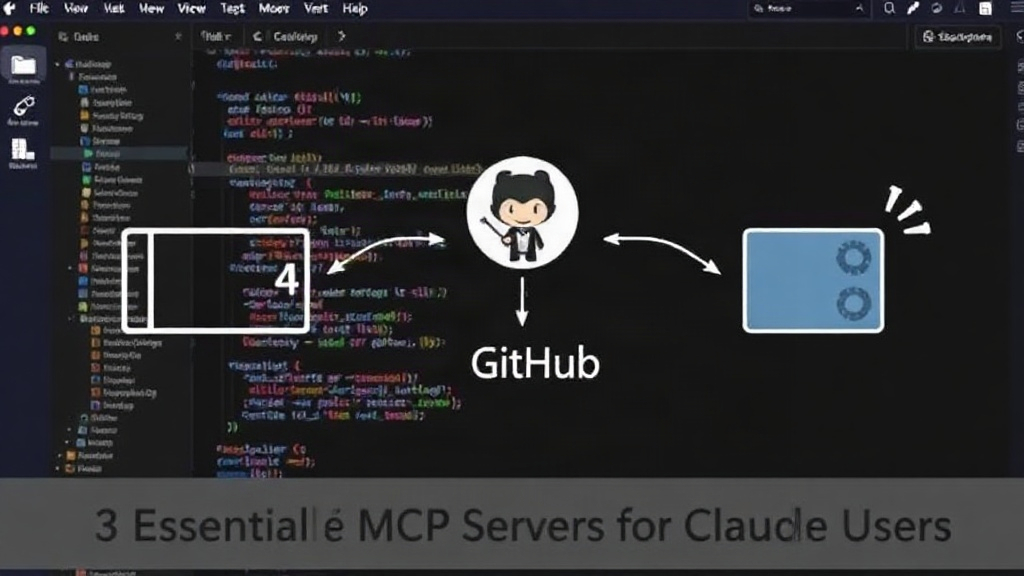
Setup: Installation is similar to the Filesystem server:
mcp-hub install @modelcontextprotocol/server-github
Configuration typically involves authenticating with GitHub. This usually requires generating a personal access token (PAT) with appropriate scopes (e.g., `repo` for full access) and configuring the server to use this token. The server then uses this token to make authenticated requests to the GitHub API on Claude's behalf. Ensure the PAT has only the minimum required permissions to reduce security risks.
3. PostgreSQL Server: Database Schema and Query Assistance
Interacting with databases is a core task for many developers, and the PostgreSQL MCP server brings this capability to Claude Desktop. This server allows Claude to connect to and query your PostgreSQL databases. It can understand your database schema, including tables, columns, data types, and relationships. This enables Claude to assist with database design, query writing, and understanding existing data structures.
Instead of fumbling with SQL syntax or trying to recall complex table joins, you can ask Claude for help. The server provides Claude with the necessary schema information, allowing it to generate accurate SQL queries or explain complex ones. This is invaluable for both experienced database administrators and developers new to PostgreSQL. It can also be used to analyze data patterns or even generate sample data based on schema constraints.
Real usage example: "Show me the schema for the `users` and `orders` tables, and then write a SQL query to find all users who placed an order in the last 7 days." This query requires Claude to understand the database structure and then generate a correct SQL statement based on that schema.
Setup: Installation follows the same pattern:
mcp-hub install @modelcontextprotocol/server-postgresql
Configuration requires connection details for your PostgreSQL instance: hostname, port, database name, username, and password. These credentials should be stored securely, perhaps in environment variables or a dedicated secrets management system, and provided to the MCP server. The server then establishes a connection to the database and executes queries generated by Claude. Security is paramount here; ensure the database user has only the necessary read privileges, especially if Claude is only assisting with analysis and not modification.
Integrating for Maximum Productivity
These three MCP servers—Filesystem, GitHub, and PostgreSQL—represent a powerful combination for developers using Claude Desktop. They move Claude from a passive information provider to an active participant in the development workflow. By granting Claude context about your code, your repositories, and your data, you unlock a new level of AI-assisted productivity. The setup is accessible via standard command-line tools, and configuration, while requiring attention to security, is well-documented within the MCP ecosystem. If you're serious about leveraging LLMs in your daily development tasks, integrating these MCP servers is a critical next step.